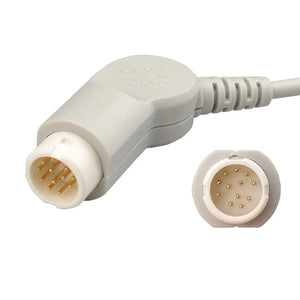
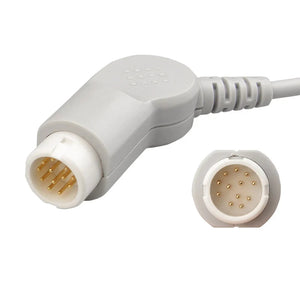
To read a hospital monitor, focus on five core numbers: heart rate (HR, 60–100 bpm, green), blood pressure (BP, ~120/80 mmHg), oxygen saturation (SpO₂, 95–100%, cyan), respiratory rate (RR, 12–20/min, yellow), and temperature (TEMP, 97–99°F). Numbers are displayed on the right side of the screen; waveforms run along the left. A red alarm means a life-threatening change — call the nurse immediately. A yellow alarm means assess but don't panic. Always verify a worrying number against the waveform and the patient's appearance before acting.
The first time I walked into a Level-1 trauma bay as a new graduate nurse, the patient monitor looked like the cockpit of a 747 — six waveforms, twelve numbers, three different alarm tones, and absolutely no time to read the user manual. Twenty years later, I've serviced these monitors as a BMET and used them on thousands of patients in adult ICU and NICU settings, and I can tell you the screen is far simpler than it looks once you know what to ignore.
This guide is the one I wish someone had handed me on day one. Whether you're a family member sitting at a bedside, a nursing student two weeks into clinicals, or a new BMET trying to make sense of a Philips IntelliVue, the goal is the same: turn that wall of numbers into a story you can read in five seconds.
⚡ Key Takeaways
- Five vital signs cover 95% of bedside decisions: HR, BP, SpO₂, RR, and temperature. Memorize the normal ranges and you've handled the basics.
- Color tells you what you're looking at: green = ECG/HR, cyan = SpO₂, yellow = RR, red = invasive BP or critical alarm, white = temperature.
- The waveform always confirms the number. A "low" SpO₂ with a flat pleth wave is usually a sensor problem, not hypoxia. Look at both before you panic.
- Red alarms = act now. Yellow alarms = assess. Most yellow alarms (72–99% in ICU studies) turn out to be false or motion artifact.
- When in doubt, look at the patient first, the monitor second. A calm, talking, pink-skinned patient with a "BP 60/40" reading almost always has a cuff or transducer problem, not shock.
📋 Patient Monitor Parameters & Matching MedLinket Accessories
Quick reference for which reusable cable and disposable consumable each vital-sign parameter requires.
| # | Parameter | What It Measures | Reusable Accessory (MedLinket) | Disposable Consumable (MedLinket) |
|---|---|---|---|---|
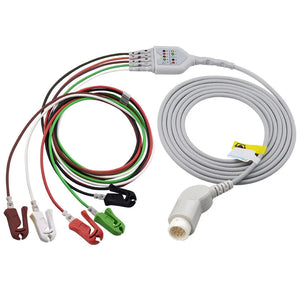
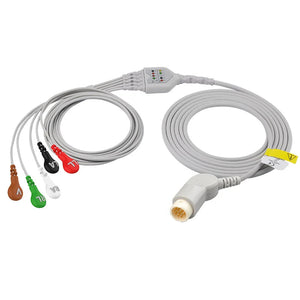
| 1 | ECG Electrocardiogram | Detects cardiac arrhythmias and monitors the heart's electrical activity in real time. | ECG trunk cable + ECG leadwires | Pre-wired disposable ECG electrodes |
| 2 | Heart Rate HR (bpm) | The number of heartbeats per minute, derived from the ECG signal. | Shares the ECG cable + leadwire setup above | Shares the disposable ECG electrodes above |
| 3 | Respiratory Rate RESP / RR | Breaths per minute, measured via impedance pneumography through the ECG leads. | Shares the ECG cable + leadwire setup above | Disposable ECG electrodes + disposable ECG leadwires |
| 4 | Non-Invasive BP NIBP | Cuff-based blood pressure measurement using oscillometric technology. | Reusable NIBP cuff + NIBP hose | Adult disposable NIBP cuffs & neonatal disposable cuffs |
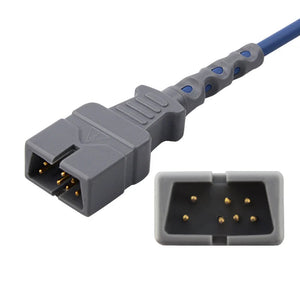
| 5 | Oxygen Saturation SpO₂ | Percentage of hemoglobin carrying oxygen, measured at the fingertip, toe, or earlobe. | SpO₂ adapter cable + reusable finger-clip or wrap sensor | Disposable pulse oximetry SpO₂ sensors |
| 6 | Temperature TEMP | Real-time core or peripheral body temperature; critical for preventing intra-operative hypothermia. | Temperature adapter cable + reusable temperature probe | Disposable temperature probes (esophageal, tympanic, skin surface) |
A practical takeaway from years on the floor: RESP, HR, and ECG all share the same cable run — that's why a loose ECG lead silently kills three numbers at once. If RESP suddenly reads "?" along with a noisy HR, check the ECG electrodes first, not the algorithm.
Understanding Vital Signs at a Glance
Before we go deep on each parameter, here is the cheat sheet I keep taped inside the lid of my BMET toolbox. If you remember nothing else from this article, remember this table.
| Vital Sign | Screen Label | Color (typical) | Adult Normal Range |
|---|---|---|---|
| Heart Rate | HR / PR | Green | 60–100 bpm |
| Blood Pressure | NIBP / ART | White / Red | ~120/80 mmHg (MAP ≥65) |
| Oxygen Saturation | SpO₂ | Cyan / Light Blue | 95–100% |
| Respiratory Rate | RR / RESP | Yellow / White | 12–20 breaths/min |
| Temperature | TEMP / T1 / T2 | White | 97–99 °F (36.1–37.2 °C) |
| End-tidal CO₂ | EtCO₂ | Yellow | 35–45 mmHg |
Source: CanadiEM patient monitor reference. Color coding follows IEC 60601-1-8, but I'll be honest — most US hospitals run a mix of Philips, GE, and Mindray monitors that each interpret the standard slightly differently. When you walk into a new unit, take 30 seconds to look at the screen and confirm which color is which. I've seen brand-new travel nurses trip over this on their first shift.
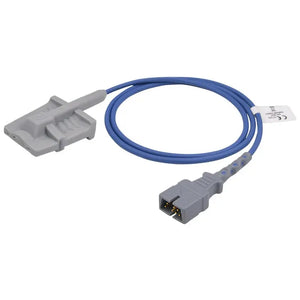
Knowing these numbers can help you feel confident when you see monitors paired with accessories like Masimo LNOP DCI SpO2 sensors, Nellcor M1192T pediatric sensors, or Mindray finger-clip sensors. For a complete overview of every accessory used with patient monitors, see our Patient Monitor Accessories: Complete Guide by Parameter Type.
🔗 Need a Compatible SpO2 Sensor for Your Monitor?
The sensors mentioned above come in different types to match specific monitor brands and patient needs. Silicone soft sensors provide comfortable, long-term SpO2 monitoring in ICU and bedside settings.
View Compatible SpO2 Sensors → Compatible with Mindray, Philips, GE, Masimo, Nellcor, and moreHow to Read a Hospital Monitor — Step by Step
Monitor Basics: What's Actually on the Screen
A hospital monitor is essentially a multi-channel computer that takes analog physiological signals — electrical activity from the heart, light absorption through a fingertip, pressure from a cuff — and renders them as numbers and waveforms in real time. Most ICU-grade monitors track at least four parameters simultaneously, and high-acuity units may track ten or more, including end-tidal CO₂ (EtCO₂) and invasive arterial pressures.

What every clinical-grade monitor should give you:
- A 10-inch+ display readable from across the room — anything smaller and you'll miss alarms during a code.
- Multi-parameter monitoring covering at minimum ECG, SpO₂, and NIBP; ICU-grade adds IBP, EtCO₂, and dual-channel temperature.
- Smart alarm management that actually filters motion artifact rather than dumping every twitch into the alarm log. Read more on false alarm prevention if you're tired of the constant beeping.
- Network connectivity to the central station and the EMR — most modern Philips IntelliVue and GE CARESCAPE units stream every 60 seconds.
- Data storage and trending — typically 24 to 72 hours on the bedside unit, longer on the central server. Hospitals should align this with proper documentation and compliance practices.
- Battery backup of 2–4 hours for transport. I've seen units fail at 90 minutes after a year of heavy use; if you're transporting a critical patient, double-check the battery indicator before unplugging.
- A user interface simple enough to silence an alarm under stress without pulling up a manual.
Layout & Colors: Reading the Screen Like a Map
Almost every patient monitor on the market follows the same basic geography: numerics on the right, waveforms on the left. Once you internalize that, the rest is just learning the color code. Numbers update every 1–2 seconds; waveforms scroll continuously.
| Parameter | Display Location | Color Code |
|---|---|---|
| Heart Rate (HR) | Top right | Green |
| SpO₂ | Right side, second row | Cyan / light blue |
| NIBP | Right side, lower | White |
| Arterial BP (IBP) | Right side, paired with red waveform | Red |
| Respiratory Rate | Lower right or paired with EtCO₂ | Yellow / white |
| Temperature | Lower section, often labeled T1/T2 | White |
| EtCO₂ / Capnogram | Bottom waveform area | Yellow |
Source: CardiacDirect monitor layout guide.
Display Features: What the Newer Monitors Add
Modern monitors do far more than display numbers. They run arrhythmia analysis algorithms (lead-by-lead), they push trended data to the EMR, they negotiate alarm priorities, and on Philips IntelliVue MX-series and GE CARESCAPE units they'll even pre-populate a SBAR handoff summary. If you see an unfamiliar code or message on screen, our patient monitor error codes troubleshooting guide covers the most common ones I get paged about as a BMET. And regular preventive maintenance by biomed staff keeps the displays calibrated and the parameter modules accurate — skipping PMs is the single biggest cause of "the monitor is wrong" complaints I see.
Bottom line for reading a monitor: start with the colors, scan the numbers, then look at the waveforms to confirm the numbers are real. If a number looks wrong, don't trust the monitor over your eyes — go check the patient.
ICU Monitor Parameters in Detail
ICU monitors track several key parameters simultaneously, and each one tells a different part of the same physiological story. Below I'll walk through each one the way I teach new ICU nurses — what it means, where it shows up on the screen, what's normal, and what should make you reach for the call button.

Heart Rate (HR)
What It Means
Heart rate is exactly what it sounds like — beats per minute — and it's the parameter that drives more clinical decisions per shift than any other. The monitor calculates it by measuring the interval between R-waves on the ECG and converting that interval into a per-minute rate. For a deeper look at heart rate ranges and when to escalate, see our dedicated guide: What is a Normal Heart Rate on a Hospital Monitor?
Reading the Value
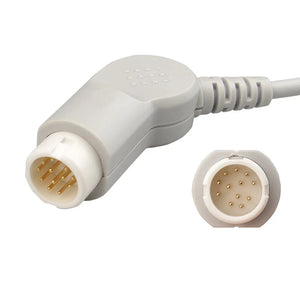
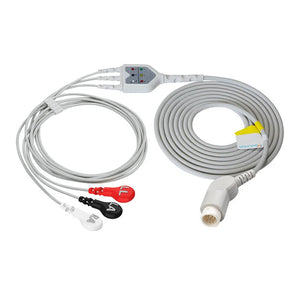
You'll find HR at the top right of the display, typically in green and bold. It updates every 1–2 seconds. Most monitors also show a separate pulse rate (PR) derived from the SpO₂ pleth waveform — when HR and PR don't match, that's a clue (could be PVCs being missed by SpO₂, or could be ECG lead artifact inflating HR). The HR signal comes from ECG leads on the chest, transmitted through an ECG trunk cable and individual leadwires from the disposable electrodes on the patient's skin. If you're a BMET tracking down a flaky HR signal, our guide on ECG cable connector types will save you an hour.
Normal Ranges by Age
Normal heart rate is age-dependent. Pediatric ranges are wider and higher than adult — a sleeping 6-month-old at 100 bpm is fine, while the same rate on a previously-tachycardic adult might mean they're crashing. The table below shows accepted ranges (Cleveland Clinic):
| Age | Normal HR (bpm) |
|---|---|
| 0–3 months | 110–160 |
| 3–6 months | 100–150 |
| 6–12 months | 90–130 |
| 1–3 years | 80–125 |
| 3–6 years | 70–115 |
| 6–18 years | 60–100 |
| Adults | 60–100 |
When to Worry
For an adult, sustained HR below 50 or above 120 should prompt a closer look — but the context matters more than the number. A trained marathon runner with a resting HR of 42 is fine. A septic ICU patient at 118 with a falling MAP is a rapid response call. As a rule of thumb: fast HR + low BP = trouble; slow HR + symptoms (chest pain, syncope, hypotension) = trouble; everything else, take a breath and look at the trend. For more on alarm thresholds, see our guide on heart rate alarms: when to worry.
Modern ICU monitors are remarkably accurate when set up correctly: about 85% of measurements fall within 3 bpm of the true rate, and 91% within 5 bpm. That doesn't mean they're never wrong — they're just usually right.

Blood Pressure (BP)
Systolic, Diastolic & MAP
Blood pressure is reported as two numbers — systolic over diastolic — and on most ICU monitors you'll also see MAP (mean arterial pressure) calculated automatically. Systolic is the peak pressure when the heart contracts; diastolic is the trough between beats; MAP is roughly diastolic + ⅓(systolic – diastolic) and is the number that actually correlates with end-organ perfusion. For a deeper clinical breakdown, see Understanding NIBP Readings: Systolic, Diastolic, MAP.
Reading the Value
BP appears as two numbers (e.g., 120/80) with MAP often shown smaller in parentheses. Non-invasive BP (NIBP) cycles automatically — every 15 minutes is typical for stable floor patients, every 5 minutes in ICU, every 1 minute during a code. Invasive arterial BP (ART or IBP) updates beat-to-beat. NIBP uses a reusable cuff connected via an NIBP hose — for technical hose specs, see our NIBP hose connector reference. NICU and PICU rely on smaller neonatal disposable cuffs.
| Age Group | Systolic (mm Hg) | Diastolic (mm Hg) |
|---|---|---|
| Newborn (≤1 mo) | 60–90 | 20–60 |
| Infant | 87–105 | 53–66 |
| Toddler | 95–105 | 53–66 |
| Preschool | 95–110 | 56–70 |
| School-age | 97–112 | 57–71 |
| Adolescent | 112–128 | 66–80 |
| Adult 18–39 (F) | 110 | 68 |
| Adult 18–39 (M) | 119 | 70 |
| Adult 40–59 (F) | 122 | 74 |
| Adult 40–59 (M) | 124 | 77 |
| Adult 60+ (F) | 139 | 68 |
| Adult 60+ (M) | 133 | 69 |
When to Worry
The number that matters most in critical care is MAP ≥ 65 mmHg (the standard sepsis target — though neuro patients and pregnant patients have their own targets, so always defer to physician orders). A sustained MAP below 65 is a perfusion emergency; you'll see lactate climb and urine output fall within an hour or two. Conversely, a sudden hypertensive surge (systolic >180) in a neuro patient is just as dangerous in the other direction.
NIBP and IBP usually agree to within about 6 mmHg when both are set up correctly. If they disagree by more than 15 mmHg, something is wrong — usually the cuff size, the cuff position, or an under-damped arterial line. Our NIBP troubleshooting guide covers the systematic checks. The single most common error I see is cuff sizing: a cuff that's too small reads falsely high (sometimes by 20+ mmHg), and one that's too large reads falsely low. See our breakdown on how to choose a blood pressure cuff. And if the cuff cycles but never seems to complete a reading, our guide to a NIBP cuff that won't inflate walks through the hose, connector, and pump checks step by step.
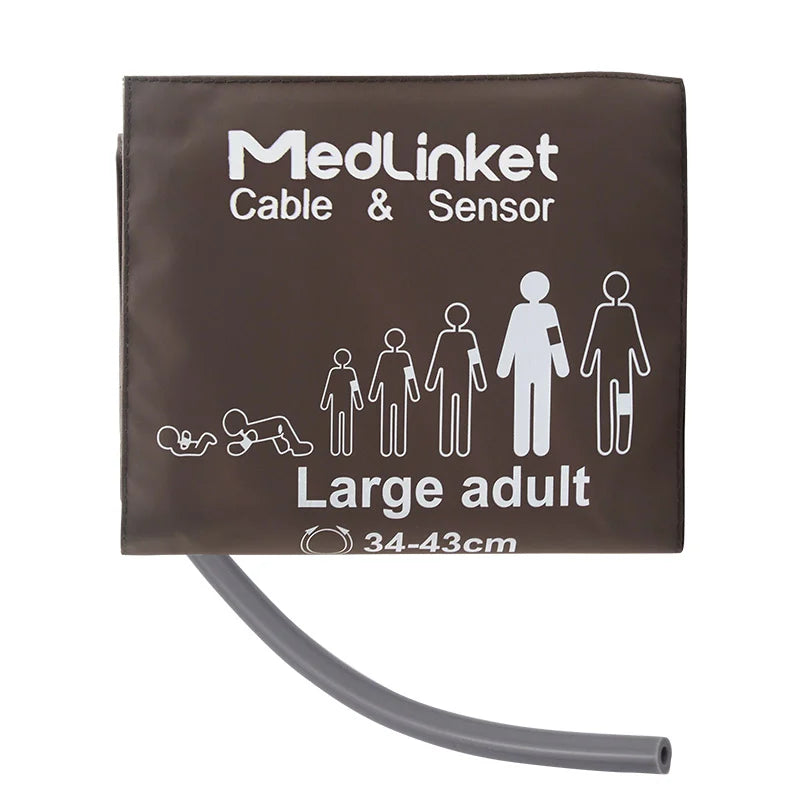
🔗 Choosing the Right NIBP Cuff Size for Accurate Readings
As described above, choosing the correct cuff size is essential for reliable blood pressure measurements. A universal adult large reusable cuff fits a wide range of monitors without needing a brand-specific connector.
View Reusable NIBP Cuffs → Available in infant, pediatric, adult, and adult large sizes for Philips, GE, Mindray, and moreOxygen Saturation (SpO₂)
What It Means
SpO₂ is the percentage of hemoglobin carrying oxygen, measured non-invasively by a pulse oximeter on the finger, toe, or ear. It uses red (660 nm) and infrared (940 nm) light absorption — Beer-Lambert law in action. For the underlying technology, see our explainer on how SpO2 sensors work, and for normal ranges across age groups read What is SpO2 and What is a Normal SpO2 Level?
Reading the Value
SpO₂ is shown as a percentage in cyan, updating every second or two alongside its pleth waveform. The waveform matters as much as the number — I cannot stress this enough. A reading of "88%" with a flat or chaotic pleth is a sensor problem 90% of the time. A reading of "88%" with a clean, regular pleth is hypoxia and demands action.
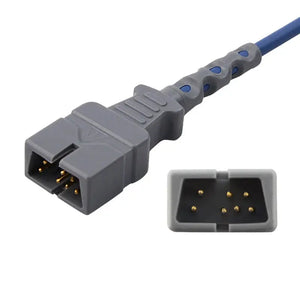
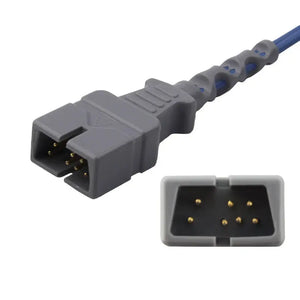
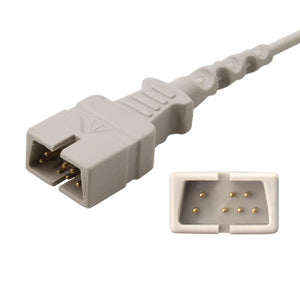
Cold extremities, motion, dark nail polish, and very dark skin pigmentation can all attenuate the signal. Reusable sensors like the Philips M1196A finger clip or GE compatible adult finger clip work well for stable bedside monitoring. Short SpO₂ sensors paired with an adapter cable let you swap sensors without buying a new long cable each time. For BMETs working on connector issues, our SpO₂ connector pinout reference has the wiring details, and if you're matching a Nellcor sensor to a Philips bedside monitor, we bench-tested Nellcor sensors across 30 Philips IntelliVue combinations to confirm which pairings hold a stable reading. For spot checks, the MedLinket AM801 Bluetooth finger oximeter is a solid portable option.
Normal Ranges
- Healthy adults: 95–100%
- COPD patients: 88–92% per physician orders (going higher can suppress hypoxic respiratory drive)
- Children: ≥90% is the usual target
- Most US hospitals: aim to keep SpO₂ above 92% on room air
- Neonates: rises gradually from 60% in the first minutes of life to >90% by 10 minutes — preductal vs postductal sats matter, especially in suspected congenital heart disease
For pediatric patients with smaller fingers, a pediatric finger clip sensor gives a much better signal than an adult clip wrapped around a tiny digit.
When to Worry
SpO₂ below 90% on a clean waveform is a "look at the patient now" event; below 85% with symptoms is an emergency. Sudden drops are usually mucus plug, atelectasis, sensor displacement, or — worst case — pulmonary embolism. For step-by-step alarm response, see our guide on the SpO₂ low alarm.
One absolute rule that has saved patients: standard pulse oximeters cannot detect carbon monoxide poisoning. A patient pulled from a house fire can show SpO₂ of 99% while their carboxyhemoglobin is 35% — they're severely hypoxic at the tissue level, and the oximeter has no way to know. If CO exposure is on the differential, you need a co-oximeter (like Masimo Rainbow) or arterial blood gas with CO-Hb. I've seen this missed and the consequences are bad.
Many factors cause false readings: bright lights (especially fluorescent or surgical), nail polish, tattoos directly under the sensor, cold hands, motion, and IV dyes (methylene blue can make SpO₂ read in the 60s for 15 minutes — terrifies new nurses every time). For a complete troubleshooting walkthrough, see our guide on SpO2 sensor troubleshooting.
MedLinket offers a complete line of disposable SpO₂ sensors meeting ISO 80601-2-61 and FDA standards, with biocompatible adhesives that reduce skin breakdown — a real concern in patients monitored for 72+ hours. Sensor types include Comfort Sponge for long-term ICU use, Elastic Non-Woven for active patients, and Transparent Ventilated for dermatology-sensitive cases. Compatible with Philips, GE Healthcare, Mindray, and Nellcor. For hospitals weighing OEM vs compatible alternatives, our OEM vs compatible parts BMET perspective breaks down the cost-quality trade-offs honestly. For neonates, the Nellcor MAX-N compatible neonatal sensor and Masimo LNCS Neo use gentle adhesives designed for fragile neonatal skin. See our full guide: how to choose the right disposable SpO2 sensors.
Respiratory Rate & Temperature
Respiratory Rate (RR)
What It Means
Respiratory rate is the number of breaths per minute and, in my experience, it's the most under-appreciated vital sign on the entire screen. Respiration governs both oxygenation and acid-base balance — when something is going wrong systemically (sepsis, DKA, pulmonary embolism, decompensating heart failure), RR usually rises before HR or BP shifts.
Dr. Frederic Michard of GE summarized it well: "Respiratory rate monitoring is the best way to spot health problems early" — it climbs in sepsis, acidosis, shock, and pneumonia long before the patient looks "obviously sick."
Reading the Value
RR is labeled "RESP" or "RR" in yellow, with an impedance pneumography waveform showing chest-wall movement. And here's the catch: the impedance method is genuinely unreliable, especially in shallow breathers, restless patients, and anyone with motion artifact. EtCO₂-derived RR (from capnography) is far more accurate. If you have a capnogram, trust that number first.
Normal Ranges
| Age Group | Normal RR (breaths/min) |
|---|---|
| Adults | 12–20 |
| Birth–6 months | 30–60 |
| 6–12 months | 30–50 |
| 1–3 years | 24–40 |
| 3–5 years | 22–34 |
| 5–12 years | 16–30 |
| 12–18 years | 12–20 |
When to Worry
Sustained RR >24 in an adult is one of the strongest predictors of clinical deterioration in the next 24 hours — it's part of every early warning score (NEWS, MEWS) for a reason. RR <8 in an adult, especially post-op or with opioid exposure, is a code-blue precursor. Either extreme demands a manual count to confirm, then escalation.
Temperature
What It Means
Body temperature reflects the balance between heat production and heat loss, and clinically tracks infection, inflammation, anesthesia recovery, and (in trauma) hemodynamic status. For more on core vs. peripheral temperature, see our guide: hospital temperature monitoring.
Reading the Value
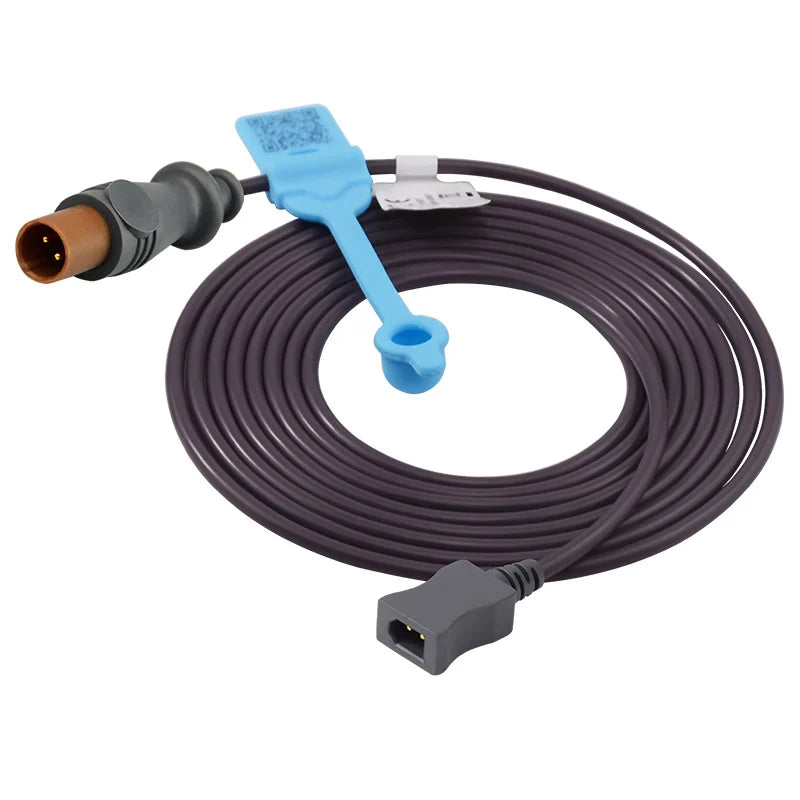
Temperature shows under "TEMP" — sometimes labeled T1 and T2 if the patient has two probes (e.g., esophageal + skin). Hospitals use reusable temperature probes and disposable skin surface probes depending on the site. When choosing a reusable probe, the YSI 400 vs YSI 700 distinction matters — they aren't interchangeable, and putting a YSI 400 probe into a 700 port gives garbage data; if you want the bench numbers behind that warning, see the tested YSI 400 vs YSI 700 cross-brand comparison showing the silent error a mismatch produces. In the OR, an esophageal or rectal probe gives the most accurate core reading. NICU incubators use specialized infant incubator probes connected via a temperature adapter cable.
🔗 Need a Temperature Probe or Adapter Cable That Fits Your Monitor?
The adapter cable connects your chosen temperature probe to the monitor — compatibility varies by brand. A matched adapter ensures accurate core and skin temperature readings.
View Temperature Adapter Cables → Compatible with Philips, GE, Mindray, Dräger, and other major monitors
Normal Ranges
| Group | Normal Range |
|---|---|
| Adults | 97.0–99.0 °F (36.1–37.2 °C) |
| Children | 97.9–100.4 °F (36.6–38.0 °C) |
| Birth–10 yrs | 95.9–99.5 °F |
| 11–65 yrs | 97.6–99.6 °F |
| Over 65 yrs | 96.4–98.5 °F |
When to Worry
Fever ≥100.4 °F (38.0 °C) is the standard infection threshold. Fever ≥102.2 °F with confusion, hypotension, or new rash is a sepsis workup. High temperatures often come from infections — flu, pneumonia, UTI, sepsis, COVID-19. Hypothermia (<95 °F / <35 °C) in a hospitalized patient post-op or post-trauma is just as dangerous: it triggers coagulopathy and shifts the oxygen-hemoglobin curve. We use disposable warming blankets aggressively in the OR and PACU. If a temperature reading looks wrong, biomed can use our temperature probe troubleshooting guide before declaring the patient hypothermic.
Waveforms — The Other Half of the Screen
ECG Waveform
What It Shows
The ECG waveform is the heart's electrical activity rendered in real time, and it's the parameter that lets you see arrhythmias the moment they happen. The bedside monitor typically displays one or two leads (most often Lead II and a precordial lead like V1 or V5) — that's enough to catch most rhythm problems but not enough for ischemia diagnosis. For that you need a 12-lead.
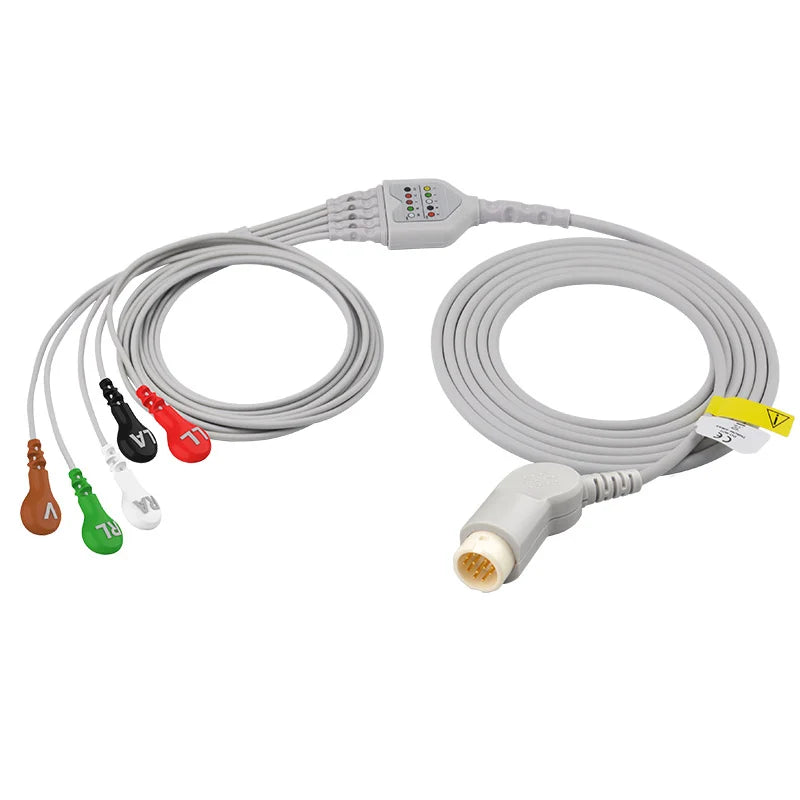
The signal comes from disposable electrodes through ECG cables and leadwires. Signal quality depends heavily on proper cable shielding and impedance matching — cheap cables introduce 60-Hz interference that masks real ST changes. For diagnostic 12-lead acquisition, hospitals use direct-connect ECG cables or EKG leadwires on a dedicated EKG trunk cable. For more on what each waveform component means, see What Do ECG Numbers Mean on a Hospital Monitor?
What you can use the bedside ECG for:
- Detecting dysrhythmias — A-fib, V-tach, V-fib, heart blocks
- Catching early warning patterns — frequent PVCs, lengthening PR interval before complete block
- Correlating symptoms (chest pain, dizziness, syncope) with rhythm changes
- Identifying lethal rhythms — V-tach, V-fib, asystole, PEA — for immediate ACLS response
Normal vs. Abnormal — What to Look For
| Feature | Normal | Concerning |
|---|---|---|
| Heart Rate | 60–100 bpm | <50 or >120 (tachy/brady) |
| Rhythm | Regular R-R intervals | Irregular — possible arrhythmia |
| P Wave | Smooth, upright before each QRS | Absent (A-fib), notched (atrial enlargement), inverted |
| QRS | <120 ms, narrow | Wide (BBB, V-tach, hyperkalemia) |
| T Wave | Upright, asymmetric | Inverted (ischemia), peaked (hyperkalemia), flat (hypokalemia) |
| ST Segment | At baseline | Elevated (STEMI), depressed (ischemia) |
If the trace looks chaotic — wandering baseline, jagged spikes, intermittent flatlines — it's almost always artifact, not the patient. The fix is usually: replace the electrodes (especially if the gel has dried), reseat the cable, or stop the patient from shivering. For a complete artifact playbook, read ECG Artifact Troubleshooting. As BMETs we also do routine cable inspection and testing to catch fraying leads before they cause artifact at 3 AM. For long-term ambulatory monitoring outside the ICU, Holter ECG cables are designed for 24–48-hour continuous wear.
🔗 Looking for ECG Cables That Match Your Monitor Brand?
The cables and electrodes described above are available in brand-specific versions for direct compatibility. A properly matched direct-connect ECG cable ensures clean signal acquisition for reliable heart rhythm monitoring.
View Compatible ECG Cables → Compatible with Philips, GE, Mindray, Nihon Kohden, Dräger, and moreSpO₂ Pleth Waveform
What It Shows
The plethysmograph (or "pleth") shows the pulsatile blood volume change in the sensor site — essentially, a visual confirmation that the SpO₂ number is real. This single waveform tells you more than people realize:
- Cardiac output proxy: the amplitude of the pleth scales with stroke volume. A shrinking pleth means falling perfusion.
- Sepsis early warning: in septic patients, a flattening pleth often precedes clinical deterioration by hours.
- Perfusion check: if the pleth disappears but the patient is awake and talking, you have a sensor or perfusion problem at that finger — not systemic hypoxia.
- Reading validation: no pleth, no valid SpO₂. Ever.
Normal vs. Abnormal
A normal pleth has smooth, regular peaks of consistent amplitude. Abnormal patterns to recognize: flat (poor perfusion), jagged (motion artifact), variable amplitude in time with breathing (pulsus paradoxus — think tamponade or severe asthma), or absent (sensor off / cold finger / cardiac arrest).
MedLinket's disposable SpO₂ sensors use refined optical components and biocompatible adhesives to maintain a clean pleth even in low-perfusion states. Common picks: Nellcor MAX-A compatible adult sensor and Masimo 1859 compatible adult sensor. Both meet ISO 80601-2-61 and FDA requirements. If you're evaluating third-party accessories, verify regulatory clearances and run side-by-side compatibility tests before standardizing — our Masimo LNCS-on-GE-CARESCAPE compatibility test is a good example of the kind of pre-deployment validation worth doing on your own monitors.
Temperature Monitoring (Detailed)
Screen example: TEMP 98.6 °F (37.0 °C) — some monitors also show T1 / T2 and ΔT (the difference between two probes).
What You'll See
| Item | Label | Unit | Notes |
|---|---|---|---|
| Temperature | TEMP / T1 / T2 | °F (or °C) | Site labeled (esoph, bladder, rectal, skin) |
| Delta | ΔT | °F / °C | Difference between T1 and T2 |
| Trend | Graph | — | 24-hour or session trend line |
How to Read
- Confirm the unit (°F vs °C) — I once watched a resident panic over "39" thinking Fahrenheit before realizing the monitor was in Celsius.
- If two channels are present (T1/T2), check ΔT and the trend line, not just a single value.
- Interpret in context — chills, confusion, recent acetaminophen all change the meaning of the number.
Adult Reference Ranges
| Status | °F | °C |
|---|---|---|
| Typical | 97.0–99.0 | 36.1–37.2 |
| Fever | ≥100.4 | ≥38.0 |
| Hypothermia | <95.0 | <35.0 |
Red Flags
- Fever ≥102.2 °F with rash, confusion, or hypotension — sepsis workup
- Post-operative low temperature not improving with active warming
- Sustained hypothermia in trauma — coagulopathy risk
Common Causes of Skewed Readings
- Wrong site (axillary reads ~1°F lower than core)
- Poor probe contact
- Active warming blankets or cold IV fluids
- Recent ice chips, hot drinks, or ambient room temperature
- Antipyretics (acetaminophen) masking true fever
Quick Tip: Trends beat single numbers every time. If you're not sure, confirm with a clinical thermometer at a different site.
Capnography (EtCO₂)
Screen example: EtCO₂ 38 mmHg with a square-shouldered capnogram, often paired with RR 16.
What You'll See
| Item | Label | Unit | Notes |
|---|---|---|---|
| End-tidal CO₂ | EtCO₂ | mmHg (or kPa) | Peak expired CO₂ |
| Respiratory Rate | RR / RESP | breaths/min | Derived from capnogram |
| Capnogram | CO₂ waveform | — | Four phases; flat plateau is normal |
How to Read
- Adult target: EtCO₂ 35–45 mmHg
- Inspect waveform: flat alveolar plateau + sharp inspiratory downstroke = healthy
- Cross-check with SpO₂, RR, and patient state
EtCO₂ is acquired with either a mainstream sensor on the breathing circuit or a sidestream system using a disposable sampling line, a water trap (e.g. GE D-Fend Pro), and an EtCO₂ adapter cable. For more on the clinical role of capnography, see What is EtCO2 monitoring?
Common Findings & Causes
| Finding | Possible Causes |
|---|---|
| 35–45 mmHg (normal) | Adequate ventilation and perfusion |
| <35 mmHg | Hyperventilation, low cardiac output, sampling leak, hypoperfusion |
| >45 mmHg | Hypoventilation, airway obstruction, rebreathing, hypermetabolism |
When to Worry
- Sudden drop toward zero — disconnection, extubation, or cardiac arrest. Get help immediately.
- Shark-fin waveform — bronchospasm, often asthma or COPD exacerbation
- New notch on plateau — patient effort during ventilation, ventilator dyssynchrony
What Skews EtCO₂ Readings
- Loose nasal cannula
- High supplemental O₂ flow diluting the sample
- Condensation or secretions in the sampling tubing
- Very small tidal volumes (pediatric, ARDS lung-protective ventilation)
- Patient talking or moving (for awake capnography)
Quick Tip: Always interpret number + waveform + trend together. None of those three by itself tells the whole story.
Invasive Blood Pressure (IBP)
Screen example: ART 122/68 (MAP 89) mmHg with a sharp dicrotic notch on the arterial waveform. CVP 8 mmHg and PAP 25/10 (15) may also be displayed if a central or PA catheter is in place.
What You'll See
| Channel | Label | Values | Waveform Clue |
|---|---|---|---|
| Arterial | ART | Sys/Dia + MAP | Fast upstroke + dicrotic notch |
| Central Venous | CVP | Mean (mmHg) | Low-amplitude a, c, v waves |
| Pulmonary Artery | PAP | Sys/Dia + mean | Distinct PA morphology vs. RV |
IBP requires a disposable IBP transducer linked to the monitor through an IBP cable. The transducer connects to a continuous flush system maintained by a pressure infusion bag. Different monitors require brand-specific cables — for example, a Philips IBP cable versus a Mindray IBP cable. Wiring details for each are in our IBP cable pinout reference. For setups using a separate adapter, an IBP adapter cable bridges transducer to monitor. To learn more about why IBP is used, see What is a Pressure Infusion Bag and What is It Used For?
How to Read
- Verify which channel you're looking at (ART vs CVP vs PAP)
- Focus on MAP for perfusion (most adult ICU targets ≥65 mmHg per orders)
- Check waveform quality — over-damping, under-damping, and zero/level errors are common
Adult References
| Measure | Typical Reference |
|---|---|
| ART | ~120/80 mmHg (MAP 70–100) |
| CVP | 2–8 mmHg |
| PAP | ~15–30 / 8–15 mmHg (mean 10–20) |
Targets vary widely by clinical condition (sepsis, pregnancy, neuro, cardiac surgery). Always defer to physician orders.
When to Worry
- MAP falling rapidly or pulse pressure narrowing — bleeding, pump failure, line problem
- Blunted waveform, no dicrotic notch — over-damping (air bubble, clot, kinked tubing)
- Ringing or overshoot waveform — under-damping (false high systolic)
- Transducer not leveled to the phlebostatic axis or not zeroed after position change
Common Causes of Bad IBP Readings
- Failure to zero, transducer not at heart level, air bubbles in tubing, kinked or excessively long tubing, low pressure bag (<300 mmHg), patient repositioning, arrhythmias. For a step-by-step diagnostic walkthrough, see IBP transducer troubleshooting. Periodic accessory calibration also matters.
If you're standardizing transducers across a mixed fleet of monitors, it helps to know how a given transducer behaves on each brand: our bench test of an Edwards transducer across four monitor brands shows it stays within tight tolerances as long as you use the correct brand-specific interface cable.
Quick Tip: If the IBP and NIBP disagree by more than 15 mmHg, work the IBP setup before assuming the NIBP is wrong. In my experience, 70%+ of IBP-NIBP disagreements come from a damping or zero issue, not a real physiologic difference.

Non-Invasive Blood Pressure (NIBP)
Screen example: NIBP 118/76 (MAP 90) mmHg with auto-cycle interval (e.g., every 5 min) and cuff status indicator.
What You'll See
| Item | Label | Notes |
|---|---|---|
| Sys/Dia/MAP | NIBP | Single reading or auto-cycled |
| Interval | qX min | Countdown to next measurement |
| Status | Cuff icon / message | Fit and placement prompts |
How to Read
- Right cuff size, brachial artery marker aligned, arm at heart level. If unsure on sizing, see which blood pressure cuff fits me.
- Watch trends — repeat if a single reading doesn't match the patient's appearance.
- Always cross-check with pulse, capillary refill, and mentation.
Hospitals stock adult disposable NIBP cuffs in multiple sizes and neonatal disposable cuffs for the smallest patients. The cuff connects to the monitor via an NIBP hose with an NIBP connector. For home BP tracking, the MedLinket ESM201 upper-arm monitor delivers hospital-grade accuracy.
Adult Reference
| Status | Guidance |
|---|---|
| Typical ~120/80 mmHg | MAP 70–100 |
| Hypertension (varies by guideline) | ≥130/80 mmHg |
| Hypotension | Systolic <90 or MAP <65, especially with symptoms |
When to Worry
- Rapid swings from baseline, or NIBP-IBP gap >10–15 mmHg after confirming technique
- "Normal" NIBP in a patient who looks unwell — recheck on the other arm, escalate
What Skews NIBP
- Wrong cuff size (too small → false high; too large → false low)
- Arm not at heart level (each 10 cm above heart drops reading ~7 mmHg)
- Patient movement, talking, shivering
- Atrial fibrillation or frequent PVCs (oscillometric algorithm struggles)
- Cold or painful limb (vasoconstriction)
- Cycling too frequently (cuff doesn't fully decompress between measurements)
Quick Tip: If NIBP looks wrong, wait 1–2 minutes and re-measure with corrected positioning. Compare against symptoms and the trend line, not just one number.
One-Look Pocket Summary (U.S.)
| Parameter | Quick Range | Red Flags |
|---|---|---|
| HR | 60–100 bpm adults | <50 or >120 with symptoms |
| SpO₂ | 95–100% (88–92% COPD) | <90% on clean pleth → call |
| BP | ~120/80; MAP ≥65 | Sudden drop or 15+ mmHg NIBP/IBP gap |
| RR | 12–20/min adults | >24 or <8 — confirm manually |
| TEMP | 97.0–99.0 °F | ≥100.4 fever; <95.0 hypothermia |
| EtCO₂ | 35–45 mmHg | Sudden drop to ~0 (disconnect/arrest); shark-fin (obstruction) |
If you see a red alarm or numbers far from the patient's usual pattern, tell the nurse immediately. When in doubt, ask the care team to walk you through your unit's specific targets.
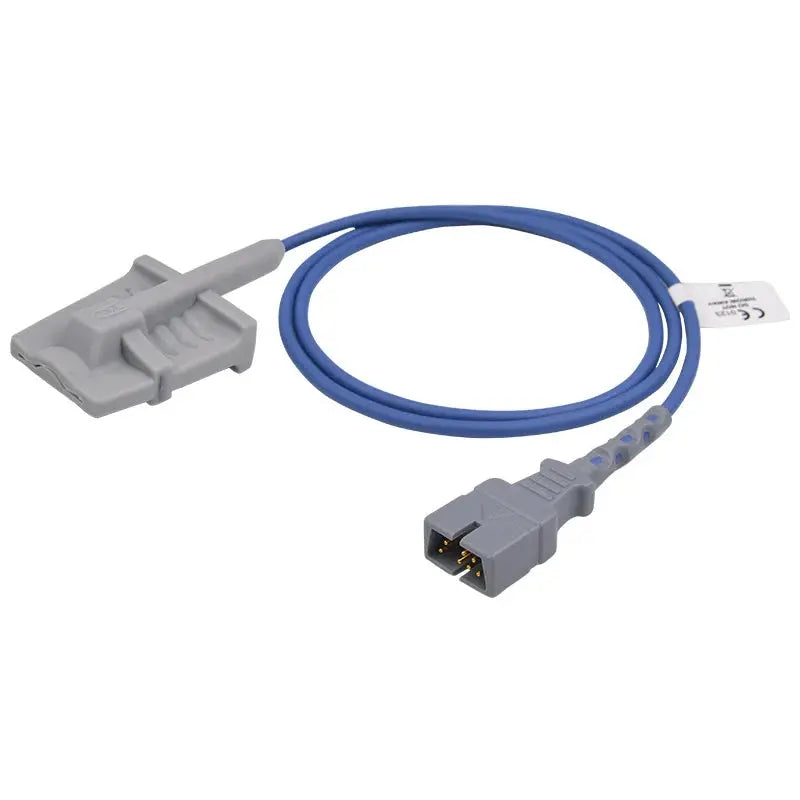
🎯 Equip One Test Bed: Core 3-Parameter Accessory Set
The SpO₂, ECG, and NIBP accessories referenced throughout this guide — enough to outfit a single monitored bed
Alarms & Alerts — Cutting Through the Noise
Hospital monitors generate hundreds of alarms per patient per day. ICU studies consistently find that 72–99% of those are false or non-actionable, and alarm fatigue is a documented patient-safety risk recognized by The Joint Commission. Knowing which alarms matter and which to filter is a real clinical skill.
Five Types of Alarms (and how to read them)
- Life-threatening (red, high-pitched, three-tone): V-fib, asystole, apnea, severe hypoxia. Drop everything and respond.
- Imminent danger (yellow/orange, two-tone): sustained tachycardia, falling SpO₂, hypotension. Assess within 1–2 minutes.
- Diagnostic (specific patterns): arrhythmia detection, pacemaker malfunction, ST-segment shift. Worth a closer look at the strip.
- Device malfunction (blue or white, steady tone): sensor disconnect, battery low, module failure. Equipment fix, usually not a patient emergency.
- Imminent device malfunction (slow blink, soft tone): the device is warning you it's about to fail — replace before it does.
Tip: Red alarms = act now. Yellow alarms = walk in and look. For a deeper response framework, see our hospital monitor alarms guide.
Why Most Alarms Are False
| Cause | What Happens |
|---|---|
| Low-voltage QRS | Algorithm can't detect R-wave, declares asystole |
| Default thresholds too tight | Normal patient variation triggers alarm |
| Patient movement / repositioning | Sensors slip, motion artifact mimics arrhythmia |
| Excessive cumulative alarms | Real ones get lost in the noise (alarm fatigue) |
| Arrhythmia false positives | ~85% of "V-tach" alarms in ICU studies are false |
You can dramatically reduce false alarms by changing disposable ECG electrodes every 24 hours (dried gel = bad signal), making sure the SpO₂ sensor fits properly, and adjusting alarm thresholds to the patient's baseline rather than the factory default. See our guides on patient monitor accessories and false alarm prevention.
What to Do When an Alarm Sounds
- Look at the patient before silencing the alarm.
- Check the color and the parameter — is it red or yellow?
- If red and the patient looks unwell, call for help and start your unit's response.
- If yellow and the waveform looks artifactual, fix the sensor.
- If you're a family member and don't know — press the call light. Nurses would always rather come and find a false alarm than miss a real one.
Tips for Patients & Families
When to Call for Help
Trust your gut. If a monitor number looks dramatically different than it did an hour ago, if multiple alarms are sounding, or if your loved one suddenly looks worse — sleepy, confused, struggling to breathe, ashen, sweaty — press the call light. Nurses don't get annoyed at "false alarms" from family; we get worried about the ones we missed.
Tip: "Something looks different" is a perfectly valid reason to call a nurse. We trust family observations because you know what your loved one normally looks like.
How to Talk to the Care Team
The most useful thing a family member can ask: "What numbers should I be most worried about, and what's the plan if they change?" That single question gets you a clearer picture than 20 specific questions, because it forces the team to share their own watch list. Other things that help:
- Build a relationship: introduce yourself, sit down, ask the nurse's name. People communicate more openly with families they recognize.
- Open-ended questions work better than yes/no: "Can you walk me through what changed today?"
- Plain language is fine — ask us to translate medical terms.
- Ask for an interpreter if English isn't your first language. Don't accept a kid translating critical clinical information; that's a Joint Commission issue and we know it.
Staying Calm While the Monitor Beeps
Family presence in ICU has measurable physiologic benefits — patients show reduced HR and BP when familiar voices are present, even when sedated. Your calm presence does work that medications can't. The studies below all converge on the same finding:
| Study | Finding |
|---|---|
| Family visitation in ICU (BMC Anesthesiology) | Lower heart rate in intervention group |
| Jani (2015) | Supportive caregiving modulated physiologic parameters in SCI patients |
| Rahmani et al. | Structured visits modulated systolic BP by day 3 |
| Akbari et al. (2019) | Systolic BP reduction within 30 minutes of family visit |
| Salavati et al. (2012) | No significant change — individual variability matters |
Note: You're not in the way. You're part of the care team. The patients who do best in ICU almost always have engaged families behind them.
Once you understand what the numbers mean, the monitor stops being intimidating and becomes an honest reporter — sometimes too honest, sometimes wrong, but always trying to tell you something. If you don't understand a reading, ask. The staff genuinely want you to understand.
Frequently Asked Questions
What should I do if I see a number outside the normal range?
Look at the patient first, then the monitor. If the patient looks calm and comfortable and the waveform looks artifactual (jagged, intermittent, or absent), it's most likely a sensor problem — let the nurse know so they can reposition or replace the lead. If the patient looks unwell and the waveform is clean, treat the number as real and press the call light. Trust your eyes about the patient's appearance more than the monitor.
Why does the monitor alarm keep sounding?
Most alarms (72–99% in ICU studies) are false or non-actionable. The big three causes are: motion artifact (the patient moved or the sensor slipped), poor electrode contact (gel dried out — they need to be changed every 24 hours), and threshold settings that are too tight for that specific patient. If alarms feel constant, ask the nurse whether the thresholds can be widened for the patient's baseline. For a deeper dive, see our guide on false alarms on patient monitors.
How do MedLinket's disposable SpO₂ sensors help patients?
MedLinket's disposable SpO₂ sensors are designed to deliver accurate readings even in low-perfusion conditions while using gentle, biocompatible adhesives that minimize skin breakdown — a real concern in patients monitored for 72+ hours. They're compatible with most major monitor brands and meet ISO 80601-2-61 and FDA standards.
What makes MedLinket's SpO₂ sensors different from others?
Three things matter to BMET departments: a three-point positioning system that improves signal stability during motion, FDA 510(k) clearance and ISO 13485 certification, and a documented failure rate below 1% across our QA testing. We also publish our compatibility matrix openly — many compatible-sensor vendors don't. Hospitals managing budget pressure can use our work in cost-saving strategies for BMET departments without dropping clinical quality. MedLinket has been operating since 2004, holds 19 FDA 510(k) clearances, carries $5M product liability coverage, and serves 2,000+ hospitals in 120+ countries.
Are there different types of SpO₂ sensors for different patients?
Yes — patient size and clinical context determine the right sensor. Comfort Sponge for long-term ICU monitoring, Elastic Non-Woven for short-term or active patients, Transparent Ventilated when skin breathability is critical. For neonates, sensors like the Mindray-compatible neonatal silicone wrap or Nellcor-compatible neonatal wrap wrap gently around tiny fingers or toes. Pediatric patients do best with a Nellcor MAX-P pediatric sensor. If you run Mindray monitors and want to see how a compatible Nellcor sensor actually performs on them before standardizing, see how Nellcor sensors performed on Mindray BeneVision monitors in our bench test. For guidance on choosing between sensor families, see Understanding SpO2 Sensors: Masimo, Nellcor, and Neonatal Options Explained.
What should I do if the SpO₂ sensor keeps falling off?
Tell your nurse. Common fixes: warm the patient's hand (cold = vasoconstriction = poor signal), move the sensor to a different finger or to the ear with an ear clip SpO₂ sensor, or switch to a wrap-style disposable sensor that adheres rather than clips. In agitated patients, a wrap is almost always more reliable than a clip.
How can I stay calm while watching the monitor?
Focus on color, not numbers. If everything stays in its expected color (green/cyan/white) and there's no red or yellow flashing, the patient is essentially stable from the monitor's perspective. Slow breathing helps. And it's okay — recommended, even — to step away for a meal. The nurses are watching the central station too.
How do I know which accessories are compatible with my monitor?
You need three pieces of information: monitor brand (Philips, GE, Mindray, Dräger, etc.), exact model (e.g., IntelliVue MX450), and the parameter you need (SpO₂, ECG, NIBP, TEMP, IBP, EtCO₂). Connector type often matters more than brand — see our multi-brand compatibility matrix. It also helps to understand what "compatible" actually means for medical accessories before you buy, so you know exactly what is being matched. Also useful: our cable identification guide, the Philips & GE monitor service guide, and the Mindray technical resources. For purchasing, our vendor qualification checklist covers the due-diligence steps. Or just email shopify@medlinket.com with your monitor model — we'll verify compatibility for free.
Need Compatible Accessories for Your Patient Monitor?
MedLinket manufactures SpO2 sensors, ECG cables, NIBP cuffs, temperature probes, IBP transducers, and EtCO2 accessories compatible with Philips, GE, Mindray, Dräger, Masimo, Nellcor, Nihon Kohden, and 30+ additional brands.
Send us your monitor brand and model for free compatibility verification.
📧 shopify@medlinket.com💬 WhatsApp: +852 6467 3105
20+ Years
Countries
Hospital Clients
19 Clearances
Certified
Product Liability
Disclaimer: This guide is intended for educational purposes and general clinical reference. It does not replace clinical training, institutional protocols, or the advice of qualified healthcare professionals. Always consult your facility's policies and the patient's attending physician for clinical decisions. MedLinket (est. 2004, NEEQ: 833505) is a manufacturer of patient monitoring accessories.