Written by the MedLinket Clinical Engineering Team · Founded 2004 · ISO 13485 & FDA 510(k) Certified Manufacturer · 16,651+ Product Variants Across 30+ Brands · Last updated: February 2026 · Estimated reading time: 10 minutes
⚡ Quick Answer: To identify the correct cables for your patient monitor, you need five pieces of information:
(1) monitor brand,
(2) monitor model number,
(3) cable type (ECG, SpO2, NIBP, Temp, IBP),
(4) lead count and end-type for ECG, and
(5) the OEM part number of the existing cable. If the part number is worn off, a clear photo of the monitor-side connector — showing pin layout, shape, and size — is the fastest way for a supplier to identify the correct replacement.
MedLinket offers free identification within 2 hours from connector photos alone.
🔑 Key Takeaways
- Patient monitor cables are NOT universal — even between models from the same brand, connectors can differ.
- The most common ordering mistake is matching only the brand while ignoring the specific model and connector generation.
- SpO2 cables have a hidden compatibility layer: the signal technology (Masimo, Nellcor, proprietary) must match, not just the physical connector.
- Two-piece ECG cable systems (trunk cable + separate leadwires) save 30–40% on annual replacement costs compared to one-piece cables.
- When in doubt, photograph the connector and send it to MedLinket — free identification within 2 hours covering 30+ brands.
| Time to Identify | 2–5 minutes |
| Difficulty | Beginner |
| Tools Needed | Phone camera |
| Applies To | All monitor brands |
You need a replacement ECG cable. Or the SpO2 sensor has died. Or the NIBP hose is cracked. You know the cable type — but which exact one fits your monitor?
With over 30 major patient monitor brands on the market, each using proprietary connectors across multiple model generations, ordering the wrong cable is one of the most common (and expensive) mistakes in hospital procurement. After 20 years of manufacturing monitoring accessories and handling compatibility questions from 2,000+ hospitals across 120+ countries, MedLinket's engineering team has catalogued connector specifications for virtually every monitor model in clinical use today.
This guide gives you a systematic 5-step method to identify any cable for any monitor, followed by brand-specific connector references for the most commonly used brands. No more guessing, no more returns.
📚 This article is part of our Hospital Monitor Reading & Accessories Guide. For a complete overview of all accessory types and their functions, see our Patient Monitor Accessories: Complete Guide by Parameter Type.
📖 In This Guide
- The 5-Step Cable Identification Method
- Brand-Specific ECG Connector Quick Reference
- Brand-Specific SpO2 Connector Quick Reference
- NIBP Hose Connectors
- One-Piece vs. Two-Piece ECG Cable Systems
- The "Photo ID" Shortcut
- Common Identification Mistakes (and How to Avoid Them)
- Quick-Reference: What to Have Ready When Ordering
- Frequently Asked Questions
The 5-Step Cable Identification Method
Step 1: Record the Monitor Brand and Model Number
This is the single most important piece of information. The model number — not just the brand — determines the connector type, because manufacturers frequently change connectors between model generations.
Where to find it: Look for a label on the back or bottom of the monitor. It typically shows the manufacturer name, model/part number, serial number, and regulatory markings. Common model number formats include:
- Philips: IntelliVue MX800, MP70, MP60, MP50, SureSigns VM8, VM6
- Mindray: BeneVision N22, N17, N15; iMEC series; uMEC series; BeneView T8, T5; PM-9000
- GE Healthcare: CARESCAPE B650, B450; Dash 4000, 5000; Solar 8000
- Dräger: Infinity Delta, Gamma, Vista 120
- Nihon Kohden: BSM-6301, Life Scope series
⚠️ Common Mistake: Many hospitals refer to their monitors simply as "the Philips" or "the Mindray." But Philips alone makes dozens of models with at least four different ECG trunk cable connector types. "Philips MX800" narrows it to one specific connector. Always get the full model number.
Step 2: Identify the Cable Type You Need
Determine which parameter the cable serves. Each parameter port on the monitor is labeled and color-coded:
| Port Label | Cable Type | What It Connects | Learn More |
|---|---|---|---|
| ECG | ECG trunk cable + leadwires | Monitor → electrodes on patient's chest/limbs | What ECG Numbers Mean |
| SpO2 | SpO2 sensor + adapter cable | Monitor → finger/ear/toe sensor | What is SpO2? |
| NIBP | NIBP hose + cuff | Monitor → blood pressure cuff on patient's arm | Understanding NIBP Readings |
| Temp / T1 / T2 | Temperature probe | Monitor → skin/esophageal/rectal probe | Monitor Reading Guide |
| IBP / P1 / P2 | IBP adapter cable + transducer | Monitor → arterial pressure transducer | Accessories Guide |
| CO2 / EtCO2 | EtCO2 sampling line + water trap | Monitor/module → patient airway | What is EtCO2? |
If you're unsure which port is which, check the icons printed next to each port on the monitor's side or rear panel. Most monitors use standardized icons (a heart for ECG, a finger-wave for SpO2, an arm cuff for NIBP). For a complete walkthrough of monitor displays and parameters, see our How to Read a Hospital Monitor guide.
Step 3: Find the OEM Part Number
The OEM part number is the fastest path to identifying the exact replacement. Here are four places to look:
1. On the cable itself — Most medical cables have the part number printed or molded into the connector housing. Look near the monitor-end plug. Examples: "Philips M1668A," "Mindray EL6305A," "GE 2021141-002."
2. Original packaging — If you still have the box or bag, the part number is on the label.
3. Monitor user manual — Look in the "Accessories" or "Ordering Information" appendix. Most manuals list every compatible cable with part numbers. Manuals are also available as PDFs on the manufacturer's website — a quick Google search for "[brand] [model] manual PDF" usually finds them.
4. CMMS / equipment records — Your hospital's Computerized Maintenance Management System (or Biomed department) should have records of all accessories associated with each device, including part numbers from past purchases. If your facility doesn't maintain these records, this is a good reason to start — it saves significant time on reorders. See our guide on when to call Biomed vs. troubleshoot yourself for more on working with your clinical engineering team.
💡 Part Number Worn Off? This is extremely common on heavily used cables, especially ECG lead wires that get cleaned frequently. Don't worry — skip to Step 4. The connector itself tells the story.
Step 4: Photograph the Monitor-Side Connector
If the part number is unavailable, a clear photo of the connector is the next best identification tool. Here's exactly what to capture:
| Photo | What It Shows | Why It Matters |
|---|---|---|
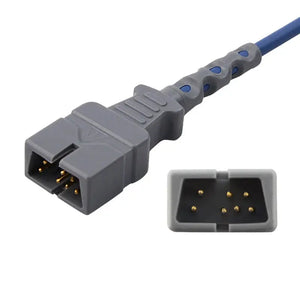
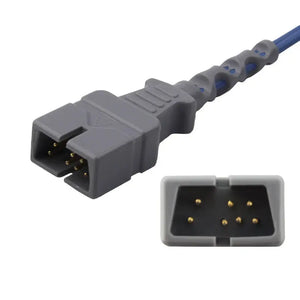
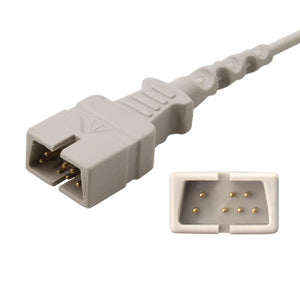
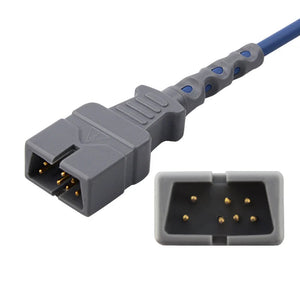
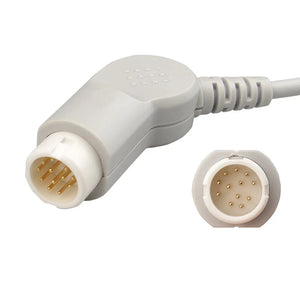
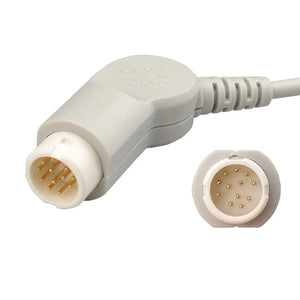
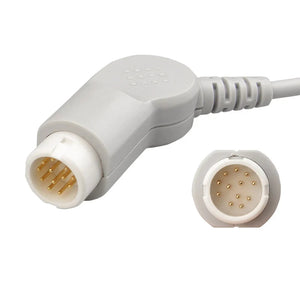
| Connector face (head-on) | Pin layout, pin count, shape | Identifies the exact connector generation. A 12-pin round connector from Philips is completely different from a 12-pin round connector from Mindray. |
| Connector profile (side view) | Locking mechanism, overall size | Distinguishes between push-fit, twist-lock, and latch mechanisms used by different brands. |
| Any text on the connector | Part numbers, brand logos, pin labels | Often the most direct identification clue. |
| The monitor port (empty) | Port shape, color, label | Confirms which parameter the cable serves and the socket configuration. |
Send these photos to your supplier or Biomed department. MedLinket's engineering team can typically identify the correct cable within 2 hours from photos alone — our product database covers 30+ brands and 16,651+ product variants, with connector photographs catalogued for virtually every monitor model in clinical use today.
Step 5: Specify the Remaining Details
For ECG cables, you need three additional specifications beyond the connector type:
| Specification | Options | How to Determine |
|---|---|---|
| Lead count | 3-lead, 5-lead, 10/12-lead | Count the individual wires going to the patient. 3 = basic rhythm (3-lead guide); 5 = standard monitoring (5-lead guide); 10+ = diagnostic (12-lead guide). |
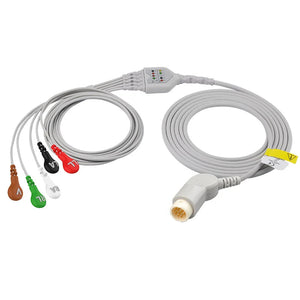
| Electrode end type | Snap or Grabber (Pinch/Clip) | Snap = round metal button that clicks onto the electrode stud. Grabber = spring-loaded jaw that clamps onto the electrode tab. Choose based on your electrode type. |
| Color standard | AHA (US) or IEC (European) | AHA: White (RA), Black (LA), Green (RL), Red (LL), Brown (V). IEC: Red (R), Yellow (L), Black (N), Green (F), White (C). US hospitals typically use AHA; European and Asian hospitals vary. Mixing these up causes ECG placement errors. |
For SpO2, also specify: sensor type (finger clip, soft silicone, disposable adhesive, ear clip, neonate wrap) and patient population (adult, pediatric, infant, neonate). For a detailed breakdown of sensor types, see How to Choose the Right Disposable SpO2 Sensors.
For NIBP, also specify: cuff size (neonatal through thigh, by limb circumference), hose connector type (single-tube or dual-tube), and reusable vs. disposable cuff preference.
Brand-Specific ECG Connector Quick Reference
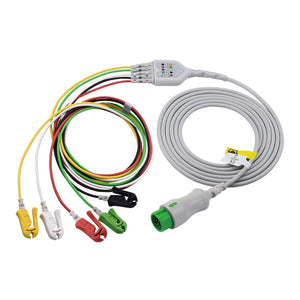
This table helps you narrow down the exact ECG cable even without a part number. Each brand uses proprietary connectors that are not interchangeable.
| Brand | Common Models | ECG Connector Type | MedLinket Compatible Products |
|---|---|---|---|
| Philips | IntelliVue MX series, MP series, CMS, VM series | 12-pin round (most models); 8-pin for older models | 3-lead leadwires · 5-lead telemetry |
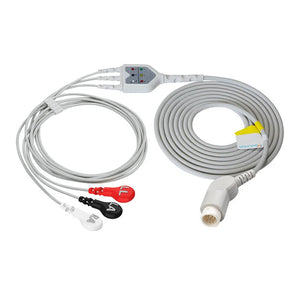
| Mindray | BeneVision N series, iMEC, uMEC, BeneView T series, PM series | 6-pin or 12-pin round (varies by generation) | 3-lead one-piece (snap) · 5-lead one-piece (grabber) · 5-lead leadwires |
| GE Healthcare | CARESCAPE B-series, Dash, Solar, DINAMAP, Pro series | 11-pin Multi-Link connector (most); older models vary | 5-lead leadwires |
| Dräger | Infinity Delta, Gamma, Vista, M-series | Proprietary multi-pin MS connector | Dräger-compatible cables |
| Nihon Kohden | BSM series, Life Scope series | Proprietary K-series connector | Nihon Kohden-compatible cables |
| Comen | C-series, Star-series | Round connector (varies by model series) | Comen-compatible cables |
| Edan | iM-series, M-series | 6-pin or proprietary connector | Edan-compatible cables |
Also compatible: MedLinket produces ECG cables and ECG lead wires for Spacelabs, Biolight, Goldway, Kontron (Kontron 5-lead cable), Medtronic, and others. For specialty cables including Holter ECG cables (e.g., Mortara 10-lead Holter cable), browse our full ECG range.
Brand-Specific SpO2 Connector Quick Reference
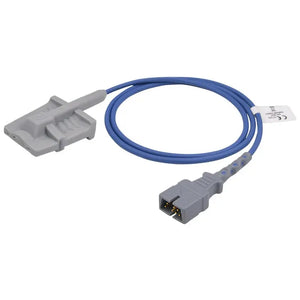
SpO2 sensors have a unique compatibility challenge that no other parameter shares: two layers of compatibility. The physical connector must match AND the signal processing technology (algorithm) must match. A sensor that physically fits but uses the wrong algorithm will display readings — but they may be dangerously inaccurate.
| Brand / Technology | Common Connector | Critical Note | MedLinket Products |
|---|---|---|---|
| Masimo SET | 14-pin connector (LNCS) | Uses Rainbow SET algorithm. Sensors are NOT interchangeable with Nellcor. | Adapter cable · Disposable sensor · Adhesive sensor |
| Nellcor OxiMax | 9-pin D-sub (OxiMax digital); 7-pin for older analog | OxiMax digital protocol ≠ older Nellcor analog. Verify generation. | MAX-N disposable · MAX-P pediatric · Neonate wrap |
| Philips | 8-pin or 12-pin round (varies by module) | Some Philips monitors accept Masimo or Nellcor modules — check which SpO2 module is installed, not just the monitor model. | Philips SpO2 range |
| Mindray | 6-pin, 7-pin, or 8-pin (varies by model) | Mindray proprietary algorithm on most models. Some newer models use Masimo module — always verify. | Adult soft sensor · Ear clip · Neonate wrap |
| GE TruSignal | 11-pin connector (TruSignal); older models may use Nellcor | TruSignal = GE proprietary. Older DASH monitors may use Nellcor OxiMax module. | GE pediatric finger clip · GE infant disposable |
| Nihon Kohden | Proprietary connector (NK series) | Nihon Kohden proprietary algorithm. | Adult disposable · Infant disposable |
| Biolight | Proprietary connector | Biolight uses its own SpO2 algorithm. | Adult soft sensor · Pediatric soft sensor |
| Comen | Proprietary connector | Comen proprietary algorithm. | Adult soft sensor |
🛑 The SpO2 "Phantom Fit" Warning: This is the most dangerous compatibility trap in patient monitor accessories. Some SpO2 connectors from different technology families are physically similar enough that they can be plugged into the wrong port. The monitor will display an SpO2 value — but it may be falsely normal, leading to missed clinical deterioration. Always verify both the physical connector AND the technology protocol. If the monitor displays an SpO2 value but the pleth waveform is absent or irregular, suspect a protocol mismatch. Learn more about this issue in our compatible Masimo SpO2 sensors guide and SpO2 sensor technology explained.
💡 Real-World Example from MedLinket Tech Support: A hospital reported erratic SpO2 readings on their GE B105 monitor using sensors that worked perfectly on their GE B650. The physical module slot looked identical. The root cause? The B105 and B650 use different SpO2 technology modules — compatible with B650 does NOT mean compatible with B105. Lesson: always confirm the specific module, not just the monitor brand or even model series.
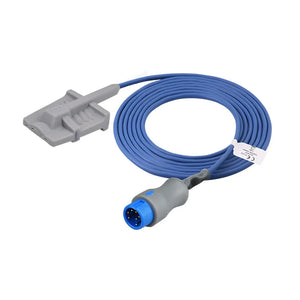
NIBP Hose Connectors
NIBP hoses have two connection points: the monitor-end connector (brand-specific) and the cuff-end connector (can be standardized or brand-specific). Common monitor-end connectors include single-tube and dual-tube configurations with bayonet, twist-lock, or push-fit mechanisms.
The cuff-end connector requires equal attention. Common types include the screw-on (NIBP connector), bayonet twist, and quick-disconnect styles. When ordering, specify both ends. MedLinket NIBP connectors are available as adapters to bridge different cuff-to-hose configurations.
For Philips monitors specifically — which account for roughly 35% of the global installed base — we've created a dedicated guide: How to Quickly Find NIBP Hoses for Philips Monitor Series.
For cuff sizing (the other critical NIBP accessory), see: How to Choose a Suitable Blood Pressure Cuff and Which Blood Pressure Cuff Fits Me?
If your NIBP readings are failing or alarming, the issue may be cuff-related rather than hose-related — check our Blood Pressure Alarm Troubleshooting Guide.
One-Piece vs. Two-Piece ECG Cable Systems
When ordering ECG cables, one of the first decisions is whether to use a one-piece or two-piece system. This affects cost, maintenance burden, and long-term total cost of ownership.
| Feature | One-Piece Cable | Two-Piece System (Trunk + Leadwires) |
|---|---|---|
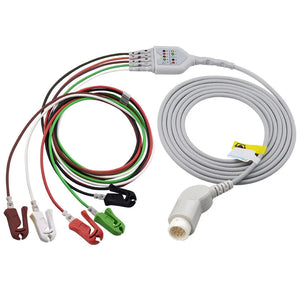
| Design | Single cable from monitor to electrodes | Trunk cable (monitor to yoke) + separate leadwires (yoke to electrodes) |
| Initial cost | Lower per unit | Higher (two components) |
| When a leadwire breaks | Replace the entire cable | Replace only the damaged leadwire set (~40% of full cable cost) |
| Long-term cost | Higher (replace entire unit every 6–12 months) | 30–40% lower annually (trunk lasts 2–3 years; only leadwires replaced every 6–12 months) |
| Connection points | Fewer (less chance of loose connections) | One additional junction (potential "Leads Off" source if corroded) |
| Best for | Transport, ambulances, short-term monitoring | ICU, long-term monitoring, cost-sensitive high-volume units |
| MedLinket options | Mindray 3-lead one-piece · Mindray 5-lead one-piece | Trunk cables + Leadwires |
💡 Cost Calculation from MedLinket Procurement Data: In a typical ICU with 20 beds, switching from one-piece to two-piece ECG systems saves approximately 30–40% in annual cable replacement costs. The reason: ECG lead wires (which bear the most physical stress — patient movement, cleaning, snap/grabber wear) fail 3–4× more frequently than ECG trunk cables. With two-piece systems, you replace only the $15–25 leadwire set instead of the $40–60 complete cable each time.
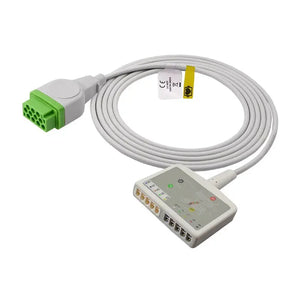
For ICUs experiencing frequent "Leads Off" alarms, the issue is most often worn leadwire snaps/clips — not the trunk cable. Replace the leadwires first before replacing the entire system. Also consider electrode quality: MedLinket's eccentric (offset-center) ECG electrodes significantly reduce motion-artifact-triggered false alarms compared to standard center-snap electrodes. See our false alarm prevention guide for a comprehensive approach.
The "Photo ID" Shortcut: When You Can't Find Any Information
Sometimes you've inherited a fleet of monitors with no documentation, worn-off labels, and no Biomed department on-site. This is more common than you'd think — especially in smaller facilities, developing-country hospitals, and clinics that have received donated equipment.
Here's the fastest resolution path:
Step 1: Take 3 photos
- Monitor nameplate (back/bottom label)
- Empty port on the monitor (close-up)
- Old cable connector face (if available)
Step 2: Send photos with these details
- Your country (for AHA vs IEC color standard)
- Cable type needed (ECG, SpO2, NIBP, etc.)
- Lead count for ECG (3, 5, or 12)
- Electrode end type preference (snap or grabber)
Step 3: Receive confirmation
- MedLinket response: within 2 hours
- Includes: compatible part number + photo match confirmation
- Free sample available for first-time verification
📧 Email: shopify@medlinket.com · 💬 WhatsApp: +852 6467 3105
Common Identification Mistakes (and How to Avoid Them)
Based on thousands of compatibility inquiries MedLinket receives annually, these are the seven most frequent mistakes — and each one results in a returned order, wasted time, and potential patient monitoring gaps:
| Mistake | What Goes Wrong | How to Avoid It |
|---|---|---|
| Ordering by brand only ("I need a Philips ECG cable") | Philips has 4+ different ECG connector types. Wrong one arrives. | Always include the model number (e.g., "Philips IntelliVue MX800"). |
| Assuming "same brand = same cable" | Mindray BeneVision N-series uses a different connector than the older PM series. | Verify by model number, not brand alone. |
| Ignoring SpO2 technology type | Sensor physically connects but produces inaccurate readings or "Sensor Error." | Confirm which SpO2 module is installed (Masimo, Nellcor, or proprietary). Check the module label or monitor menu under SpO2 settings. |
| Mixing AHA and IEC color coding | Leadwires have correct connector but wrong colors, causing placement confusion. | Specify AHA (US) or IEC (European) when ordering. |
| Wrong electrode end type | Snap leadwires won't connect to grabber-style electrodes (and vice versa). | Check your electrode stock before ordering. Snap = round stud. Grabber = flat tab. |
| Ordering 3-lead when you need 5-lead | Losing the precordial (chest) lead means losing V-lead arrhythmia detection. | Check your clinical protocol. Most ICUs require 5-lead ECG; med-surg may use 3-lead. |
| Forgetting the adapter cable for SpO2 | New sensor arrives but doesn't reach the monitor — missing the intermediate cable. | Confirm whether you need a direct-connect sensor or a sensor + adapter/extension cable. |
Quick-Reference: Cable Ordering Checklist
For ALL cable types:
- ☐ Monitor brand
- ☐ Monitor model number
- ☐ OEM part number of existing cable (if available)
- ☐ Photos of connector (if part number unknown)
Additional for ECG cables:
- ☐ Lead count: 3, 5, or 12
- ☐ One-piece or two-piece (trunk + leadwires)
- ☐ Electrode end: Snap or Grabber
- ☐ Color standard: AHA or IEC
Additional for SpO2:
- ☐ SpO2 technology (Masimo / Nellcor / proprietary)
- ☐ Sensor type: finger clip, soft silicone, disposable, ear clip, neonate wrap
- ☐ Direct-connect or sensor + adapter cable
- ☐ Patient population: adult, pediatric, infant, neonate
Additional for NIBP:
- ☐ Cuff size (by limb circumference)
- ☐ Hose connector type (single-tube or dual-tube)
- ☐ Reusable or disposable cuff
For a full breakdown of every accessory type, lifespan, and replacement signals, see our Patient Monitor Accessories: Complete Guide by Parameter Type. For recommended replacement intervals, see Accessory Replacement Schedule: When to Change.
Why MedLinket for Cable Identification and Replacement
Since 2004, MedLinket (Shenzhen Med-Link Electronics Tech Co., Ltd. · Stock Code: 833505) has manufactured patient monitor accessories covering all six core parameter categories. Our compatibility database is built on 20 years of real-world matching across 16,651+ product variants and 3,500+ proprietary connector molds.
| Capability | Details |
|---|---|
| Brand Coverage | 30+ brands: Philips, GE, Mindray, Dräger, Masimo, Nellcor, Nihon Kohden, Comen, Biolight, Edan, Medtronic, and more |
| Identification Speed | Free photo-based identification within 2 hours. Connector library covers virtually every monitor in clinical use globally. |
| Manufacturing | 3 owned factories (Shenzhen HQ, Shaoguan, Indonesia). Full closed-loop from R&D → mold making → cable extrusion → clean room assembly → 100% inspection |
| Certifications | FDA 510(k) ×19, CE MDR ×48 categories, ISO 13485:2016, MDSAP. Passed Mindray, Philips, and ANVISA on-site audits |
| Risk Protection | Free samples for first-time testing. $5M product liability insurance. If the cable doesn't fit, we replace at no charge. |
Ready to identify your cables? Contact us at shopify@medlinket.com or WhatsApp +852 6467 3105.
Frequently Asked Questions
Q: How do I find the part number for my patient monitor cable?
Check four places: (1) printed on the cable connector housing, (2) original packaging, (3) monitor user manual under "Accessories" or "Ordering Information," (4) hospital CMMS equipment records. If the printing is worn, photograph the connector and send it to your supplier for identification.
Q: Can I use a Philips ECG cable on a Mindray monitor?
No. Philips and Mindray use different connector types, pin configurations, and signal protocols. An ECG cable must match your exact monitor brand and model. Cross-brand cables will not physically fit and could damage the port if forced.
Q: What information do I need to order the correct replacement cable?
Five essentials: (1) monitor brand, (2) model number, (3) cable type (ECG, SpO2, NIBP, etc.), (4) lead count and electrode end type for ECG, (5) OEM part number if available. For SpO2, also specify the technology type (Masimo, Nellcor, or proprietary). Use the ordering checklist above.
Q: Why does my SpO2 sensor physically fit but give wrong readings?
SpO2 compatibility has two layers: physical connector and signal protocol. Some connectors from different brands are physically similar but use incompatible algorithms. Always verify both the connector type AND the SpO2 technology. If the pleth waveform is absent or erratic despite a displayed SpO2 value, suspect a protocol mismatch.
Q: What is the difference between a one-piece ECG cable and a trunk cable with separate leadwires?
A one-piece cable runs from monitor to electrodes as a single unit. A two-piece system separates the trunk cable (monitor to yoke, lasts 2–3 years) from the leadwires (yoke to electrodes, lasts 6–12 months). Two-piece saves ~30–40% on annual replacements because you only replace the worn leadwires.
Q: How do I know which SpO2 technology my monitor uses?
Three methods: (1) Check the SpO2 module label on the side or back of the monitor — it often says "Masimo," "Nellcor," or the monitor brand's own name. (2) Navigate to the SpO2 settings menu on the monitor; it typically displays the technology type. (3) Look at the current sensor connector shape and markings. When in doubt, photograph the module and connector and send to MedLinket for identification.
Related Articles in This Series
This article is part of the Hospital Monitor Reading & Accessories Guide. Explore related topics:
Accessories & Purchasing:
- Patient Monitor Accessories: Complete Guide by Parameter Type
- OEM vs Compatible Accessories: What to Know
- Accessory Replacement Schedule: When to Change
Parameter Basics:
- What is SpO2 and What is a Normal SpO2 Level?
- What is a Normal Heart Rate on a Hospital Monitor?
- What Do ECG Numbers Mean on a Hospital Monitor?
- Understanding NIBP Readings: Systolic, Diastolic, MAP
- What is EtCO2 and Why is It Monitored?
Troubleshooting & Alarms:
- ECG Leads Off Alarm: How to Fix
- False Alarms on Patient Monitors: Causes and Prevention
- Blood Pressure Alarm on Monitor: Troubleshooting Guide
- Patient Monitor Shows No Reading: Troubleshooting Checklist
- Monitor Display Problems: Blank, Flickering, Frozen
- Patient Monitor Not Turning On: What to Check
- When to Call Biomed vs Troubleshoot Yourself
Disclaimer: This guide is intended for educational and informational purposes for healthcare professionals, clinical engineering staff, and medical device procurement teams. Always follow your facility's policies and manufacturer guidelines for patient monitoring equipment. For clinical decisions, consult with qualified healthcare providers.
© 2026 MedLinket (Shenzhen Med-Link Electronics Tech Co., Ltd.) · Stock Code: 833505 · ISO 13485:2016 · FDA 510(k) Cleared · CE Marked