Quick Answer: Proper documentation of accessory inspections, replacements, and PM results is essential for Joint Commission and CMS compliance. This guide covers what to record for each accessory maintenance event, how to organize records in your CMMS or paper system, and retention timelines required by CMS Conditions of Participation (§482.41) and Joint Commission standard EC.02.04.03.
This guide focuses specifically on documentation and record-keeping requirements for patient monitor accessory maintenance. For the step-by-step maintenance procedures themselves, see our patient monitor PM checklist. For calibration schedules and verification protocols, see our calibration requirements guide.
1. Why Documentation Matters for BMETs
Documentation is not just a bureaucratic requirement — it is the backbone of your department's compliance posture and a critical tool for patient safety. Every patient monitor accessory that your department inspects, repairs, replaces, or calibrates generates data that accreditation surveyors expect to find organized and accessible.
Does anyone else have to keep track of their time?
by u/magicammo in BMET
Incomplete or disorganized maintenance records are consistently among the top findings during Joint Commission and CMS surveys. The consequences extend beyond the survey itself: poor documentation makes it impossible to track failure patterns, justify budget requests with data, or defend your department's decisions when clinical outcomes are questioned.
Effective documentation serves three core purposes for BMET departments:
- Accreditation compliance — Meeting CMS Conditions of Participation and Joint Commission Environment of Care standards requires demonstrating a systematic equipment management program with verifiable records.
- Failure-mode tracking — Documenting every accessory fault, replacement reason, and test result over time reveals patterns (e.g., a specific SpO2 sensor model failing at 8 months consistently) that drive better procurement decisions.
- Liability protection — In the event of a patient safety incident involving medical equipment, your documentation is the primary evidence that your department performed due diligence in maintenance and inspection.
2. Regulatory Framework: CMS, Joint Commission & State Requirements
Understanding exactly which standards govern your documentation obligations helps you build a record-keeping system that satisfies all applicable requirements without redundant effort. The three primary regulatory layers for US hospitals are federal (CMS), accreditation (Joint Commission, DNV, or HFAP), and state health department regulations.
CMS Conditions of Participation (42 CFR §482.41)
CMS requires hospitals to maintain the physical environment and equipment in a manner that ensures patient safety. Section §482.41(c) specifically mandates that hospitals "maintain, inspect, and test all medical equipment" and "keep adequate records" of these activities. CMS does not prescribe a specific format, but records must be retrievable on request and must demonstrate systematic management.
Joint Commission EC.02.04.01 — EC.02.04.03
Joint Commission standards are more prescriptive. EC.02.04.01 requires a written equipment management plan. EC.02.04.03 requires that the hospital maintain, inspect, and test medical equipment, and that these activities be documented. Surveyors use the Elements of Performance (EPs) as a checklist, and incomplete documentation against any EP can generate a Requirement for Improvement (RFI).
State and Facility-Level Requirements
Many states impose additional requirements — California, New York, and Florida, for example, have state health codes that may require longer retention periods or additional reporting for certain equipment classes. Always verify your state's requirements, as they can be more stringent than federal standards.
| Regulatory Body | Key Standard | Documentation Requirement | Consequence of Non-Compliance |
|---|---|---|---|
| CMS | 42 CFR §482.41(c) | Maintain, inspect, and test all medical equipment; keep adequate records | Condition-level deficiency; potential loss of Medicare/Medicaid participation |
| Joint Commission | EC.02.04.01–03 | Written equipment management plan; documented PM, inspections, and risk assessments | Requirement for Improvement (RFI); potential accreditation jeopardy |
| NFPA 99 | Chapter 10 | Risk-based assessment (equipment function, physical risk, maintenance requirements) | Joint Commission cross-references NFPA 99; failures are cited under JC standards |
| State DOH | Varies by state | May require additional record retention, reporting, or specific testing protocols | State licensing actions; facility operational permits at risk |
| IEC 62353 | Recurrent testing | Defines electrical safety test procedures; results must be documented per test type | Not directly enforced, but referenced by accreditation standards as best practice |
Download: Documentation Templates (PDF)
Three ready-to-use record templates — PM records, accessory replacement logs, and corrective maintenance reports — with every required field mapped to its regulatory source (CMS §482.41, TJC EC.02.04.03, IEC 62353). Also includes retention timelines and common documentation gaps that trigger survey findings.
3. What to Document: Required Data Fields by Maintenance Type
Different maintenance activities require different levels of documentation detail. The table below breaks down the required data fields for each type of maintenance event involving patient monitor accessories.
| Maintenance Type | Required Data Fields | Supporting Evidence |
|---|---|---|
| Preventive Maintenance (PM) | Asset ID, equipment model, location, PM procedure code, date, technician ID, pass/fail per checklist item, next PM due date | Completed PM checklist form, electrical safety test readings (per cable inspection testing methods) |
| Corrective Maintenance (CM) | Asset ID, fault description, root cause analysis, parts replaced (with part numbers), repair date, technician, post-repair test results, total downtime | Work order, before/after photos, test data printouts |
| Accessory Replacement | Asset ID, old accessory part number, new accessory part number and lot/serial, OEM vs compatible designation, reason for replacement, compatibility verification, post-install functional test | Compatibility check against compatibility matrix, functional test data |
| Calibration Verification | Parameter tested, reference standard used (traceable cal cert), measured values, pass/fail criteria, date, technician, calibration interval basis | Calibration certificate of reference standard, test data per calibration requirements |
| Incoming Inspection | New equipment or accessory ID, manufacturer, model, visual inspection findings, initial safety test results, acceptance/rejection decision | Inspection checklist, manufacturer certificates, regulatory clearance documentation |
| Safety Recall / Alert | Alert source (FDA, manufacturer), affected equipment/accessories, actions taken, date completed, verification of completion | FDA MedWatch alert, manufacturer notification, completion sign-off |
4. Accessory Replacement Records — OEM and Compatible Parts
Accessory replacements deserve special documentation attention because they involve a decision point — particularly when using compatible (non-OEM) accessories. Your records must demonstrate that the replacement accessory was evaluated for safety and effectiveness before being deployed on a patient.
Documenting OEM Accessory Replacements
OEM replacements are straightforward: document the manufacturer part number, lot or serial number, and confirmation that the replacement matches the original specification. Record the reason for replacement (end of life, damage, failure) and post-installation functional test results.
Preforming PM’s - Based on how others do it or service manual?
by u/ThisIsMatty2024 in BMET
Documenting Compatible Accessory Replacements
When your department uses compatible accessories from manufacturers like MedLinket, additional documentation demonstrates due diligence. For guidance on how to systematically evaluate compatible accessories before purchasing, see our third-party accessory evaluation framework.
Key fields to include for compatible accessory replacements:
- Regulatory clearance reference — Record the FDA 510(k) number, CE marking class, or ISO 13485 certificate of the compatible accessory manufacturer.
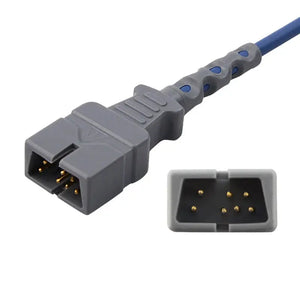
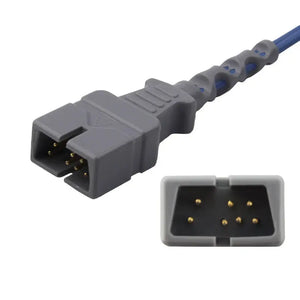
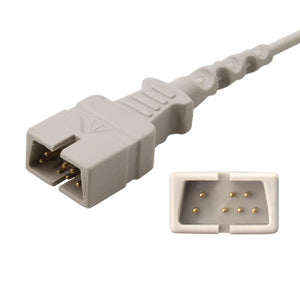
- Equivalency basis — Note what makes this accessory equivalent to OEM: matching connector pinout (reference your SpO2 connector pinout reference or ECG cable connector identification guide), electrical specifications, and material compatibility.
- Clinical accuracy validation — Document any bench testing or clinical comparison data that supports equivalent performance.
- Approval chain — Record who approved the use of the compatible accessory (department manager, clinical engineering director, or value analysis committee).
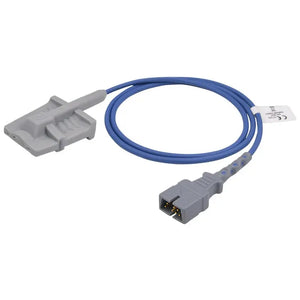
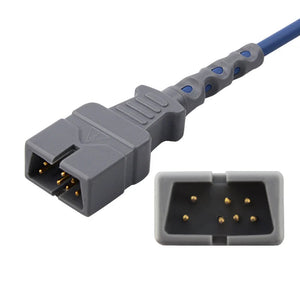
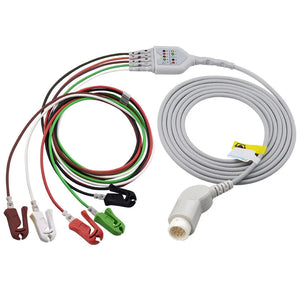
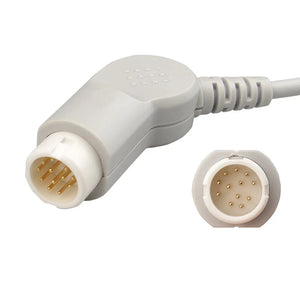
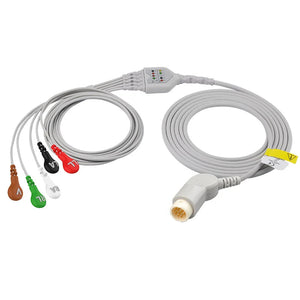
MedLinket provides full regulatory documentation — including FDA 510(k) clearance certificates, ISO 13485 certification, and detailed compatibility specifications — for all compatible accessories. Our products cover SpO2 sensors, ECG cables, NIBP cuffs, IBP transducers, and temperature probes across major patient monitor brands.
Browse Compatible Accessories with Full Documentation5. Organizing Records: CMMS, Paper Systems & Hybrid Approaches
The format of your records matters less than their completeness and retrievability. CMS and Joint Commission accept both paper and electronic records, provided you can produce them on demand during a survey. In practice, most BMET departments have migrated to a CMMS, but many still maintain hybrid systems.
Summarizing everyone's CMMS Experience
by u/NotMyRealDere in BMET
CMMS (Computerized Maintenance Management System)
Platforms such as TMS (formerly AIMS), Nuvolo, MedMizer, and Hexagon EAM provide structured databases that enforce data field completion, generate automatic PM schedules, and produce on-demand reports. For compliance purposes, ensure your CMMS has:
- Audit trail capability — who entered what data and when, with edit history
- Role-based access control — user authentication and permission levels
- Backup and recovery procedures — documented and tested regularly
- Report generation — ability to produce compliance reports by equipment class, location, or date range on demand
Paper Systems
If your facility still uses paper-based records, organize them by asset ID (not by date or technician) so that all maintenance history for a single piece of equipment is in one place. Use pre-printed forms with mandatory fields to standardize data capture. Store records in a secure, fire-rated filing system with a documented index.
Hybrid Approach
Many departments use a CMMS for work order management but maintain paper attachments (test data printouts, photos, manufacturer certificates) in physical folders. If you use this approach, cross-reference the physical file location in your CMMS work order record so that surveyors can locate supporting documents quickly.
6. Retention Timelines: How Long to Keep Records
Record retention requirements come from multiple overlapping authorities. The safest approach is to follow the most conservative timeline that applies to your facility.
| Record Type | CMS Minimum | Joint Commission | Recommended Best Practice |
|---|---|---|---|
| PM completion records | Life of equipment + 3 years post-disposal | Same as CMS, plus must show trending over time | Life of equipment + 7 years |
| Corrective maintenance / repair records | Life of equipment + 3 years | Must demonstrate corrective action follow-through | Life of equipment + 7 years |
| Calibration records & certificates | Life of equipment + 3 years | Must include reference standard traceability | Life of equipment + 7 years |
| Accessory replacement records | Life of equipment + 3 years | No specific JC requirement beyond general CM records | Life of equipment + 7 years |
| Recall/safety alert responses | Life of equipment + 3 years | Must demonstrate timely response to alerts | Life of equipment + 10 years |
| Equipment management plan (annual) | Current + 3 prior years | Must show annual review and update | Retain all versions permanently |
7. Common Documentation Gaps That Trigger Survey Findings
Based on publicly reported Joint Commission survey findings and CMS deficiency reports, these are the documentation gaps most frequently cited in the Environment of Care chapter related to medical equipment:
Gap 1: Missing PM Completion Evidence
The PM was performed, but the work order lacks specific test results, pass/fail data, or the technician's signature. A closed work order without data is not evidence of completed maintenance.
Gap 2: Undocumented Risk Assessment
NFPA 99 requires risk-based assessment to determine which equipment is included in the PM program and at what interval. If your risk assessment criteria are not documented, surveyors cannot verify that your PM scope is adequate.
Gap 3: No Record of Corrective Action Follow-Through
When a PM or inspection reveals a deficiency (e.g., a damaged ECG cable identified during cable inspection), there must be a documented corrective action — either immediate repair, replacement, or removal from service — with a follow-up verification that the action was completed.
How are you handling PMs, service reports, and asset history today?
by u/Imaginary_moron in BMET
Gap 4: Accessory Replacements Without Compatibility Verification
Replacing an accessory without documenting that the replacement is compatible with the host monitor. This is especially critical for compatible (non-OEM) accessories and is becoming a more common survey question. Cross-reference your compatibility matrix in the replacement record.
Gap 5: Calibration Records Without Reference Standard Traceability
Recording that calibration "passed" without documenting which reference standard was used and whether that standard has a current calibration certificate traceable to NIST.
Gap 6: Incomplete Recall Response Documentation
Receiving an FDA recall or safety alert but not documenting: (a) that the alert was received and reviewed, (b) whether affected equipment is in your inventory, (c) what action was taken, and (d) that the action was verified as complete.
8. Audit Preparation: Getting Ready for Accreditation Surveys
Joint Commission surveys are unannounced, which means your documentation system must be survey-ready at all times. Here is a practical preparation checklist:
Monthly Self-Audit Tasks
- Run a PM completion rate report from your CMMS — target is 100% on-time completion. Anything below 95% needs immediate attention.
- Sample 5 random work orders and verify that all required data fields are populated.
- Verify that all open corrective action items have documented status updates.
- Check that the current month's recall/safety alert log is up to date.
Annual Review Tasks
- Update the Equipment Management Plan — this is a Joint Commission requirement and surveyors check for the annual revision date.
- Review and update risk assessment scoring for all equipment categories.
- Verify that CMMS user accounts are current (remove terminated staff, add new hires).
- Test your backup and recovery process — can you actually restore records from backup?
- Verify that reference standard calibration certificates are current and traceable.
Survey Day Quick Reference
When a surveyor arrives and asks to see records for a specific piece of equipment, you should be able to retrieve the complete maintenance history — including PM records, corrective maintenance, accessory replacements, and calibration data — within 15 minutes. If your system cannot do this, the organizational structure needs work before the next survey.
9. Documentation Templates & Field Reference
Below is a field reference template for the most common documentation scenario: accessory replacement during corrective maintenance. Use this as a guide when setting up CMMS templates or paper forms.
| Field | Example Entry | Required? | Notes |
|---|---|---|---|
| Work Order Number | WO-2026-04821 | Yes | Auto-generated by CMMS |
| Equipment Asset ID | MON-ICU-0347 | Yes | Matches your facility asset tag |
| Equipment Model | Philips MX800 | Yes | Manufacturer and model |
| Location | ICU Bed 12, Building A | Yes | Current equipment location |
| Problem Description | SpO2 intermittent "sensor off" error; cable jacket cracked near connector | Yes | Describe observed fault clearly |
| Root Cause | Cable insulation failure due to repeated flex cycles at strain relief | Yes | Reference error code troubleshooting |
| Old Accessory Part # | Philips M1191BL (OEM) | Yes | Part number of removed item |
| New Accessory Part # | MedLinket M1191BL-compatible, Lot ML-2026-0392 | Yes | Include lot/serial number |
| OEM / Compatible | Compatible | Yes | OEM or Compatible designation |
| Regulatory Basis | FDA 510(k): K210XXX; ISO 13485:2016 certified | Yes (for compatible) | Document the clearance basis |
| Compatibility Verification | Confirmed per MedLinket compatibility matrix; connector, pinout, and signal specs verified | Yes | Reference verification source |
| Post-Install Test Results | SpO2 reading 98% on test finger; waveform clean; no error codes after 15 min monitoring | Yes | Functional test with pass/fail |
| Technician | J. Martinez, BMET II, ID #T-0047 | Yes | Name, title, and ID |
| Date / Time | 2026-03-28, 14:30 | Yes | Date and time completed |
| Attachments | Photo of cracked cable jacket; SpO2 waveform screenshot post-repair | Recommended | Visual evidence strengthens record |
Frequently Asked Questions
What documentation is required for Joint Commission accreditation of medical equipment?
Joint Commission standard EC.02.04.03 requires hospitals to maintain complete records of medical equipment maintenance activities, including preventive maintenance completion, corrective maintenance logs, equipment inventory lists, and risk-based assessment documentation. Records must demonstrate a systematic approach to equipment management with documented criteria for inclusion in the maintenance program.
How long should BMET departments retain medical equipment maintenance records?
CMS Conditions of Participation (§482.41) require maintenance records to be retained for the life of the equipment plus a minimum of 3 years after disposal. Some states impose longer retention periods (up to 10 years). Best practice is to retain all records for the equipment's full service life plus 7 years to cover both federal requirements and potential litigation discovery windows.
What specific data fields should a BMET record for each accessory replacement?
Each accessory replacement record should include: equipment asset ID and location, accessory type and part number (OEM or compatible), reason for replacement, date and technician name, lot number or serial number of the new accessory, compatibility verification notes, functional test results post-installation, and any relevant photos of the failed component for failure-mode tracking.
How should BMETs document the use of third-party compatible accessories?
When using compatible (non-OEM) accessories, document the regulatory basis — FDA 510(k) clearance number, CE marking class, or ISO 13485 certification of the manufacturer. Record the equivalency rationale: matching connector type, electrical specifications, and clinical accuracy validation results. This creates an audit trail showing due diligence if questioned during accreditation surveys. For a structured evaluation process, see our third-party accessory evaluation framework.
What happens during a Joint Commission survey if accessory maintenance records are incomplete?
Incomplete records are one of the most frequently cited findings under the Environment of Care standards. Surveyors check for gaps in PM schedules, undocumented repairs, missing risk assessments, and lack of corrective action documentation. A Requirement for Improvement (RFI) can be issued, requiring the hospital to submit an Evidence of Standards Compliance (ESC) plan within 60 days.
Can BMET departments use digital CMMS instead of paper records for compliance?
Yes. CMS and Joint Commission accept electronic records maintained in a Computerized Maintenance Management System (CMMS) such as TMS, Nuvolo, or MedMizer, provided the system has audit trail capabilities, user authentication, backup/recovery procedures, and the ability to produce records on demand during surveys. Digital records are actually preferred because they enable better tracking, trend analysis, and faster retrieval during audits.
Related BMET Resources
- Return to BMET Resource Hub — Complete technical library for patient monitor accessories
- Patient monitor PM checklist — Step-by-step preventive maintenance procedures referenced in your documentation
- Calibration requirements for patient monitor accessories — Calibration schedules and verification protocols to document
- Medical cable inspection and testing methods — Visual, electrical, and safety test procedures that generate the records this guide covers
- Patient monitor error codes troubleshooting — Diagnosing the faults that generate corrective maintenance documentation
- Vendor qualification checklist for medical accessories — Qualify suppliers with documented scoring criteria
- How to evaluate third-party medical accessories — Product evaluation framework to reference in replacement records
- OEM vs compatible patient monitor accessories — Cost-quality analysis to support procurement documentation
- BMET cost-saving strategies for monitor accessories — Data-driven budget strategies supported by your maintenance records
Related Guides & Product Collections
- Patient monitor accessories guide — Overview for clinical staff on accessory types and usage
- Patient monitor accessory replacement schedule — When to replace common accessories
- When to call biomed vs troubleshoot yourself — Clinical staff guide for escalation decisions
- SpO2 sensors and adapter cables — Full catalog with regulatory documentation available
- ECG cables and leadwires — Compatible ECG accessories for major monitor brands
- NIBP cuffs and hoses — Reusable and disposable NIBP accessories
- Temperature monitoring accessories — Probes, adapters, and disposables
- IBP cables and transducers — Invasive blood pressure monitoring accessories
Need regulatory documentation for compatible accessories? MedLinket provides FDA 510(k) certificates, ISO 13485 documentation, and detailed compatibility specifications for every product — making your compliance record-keeping straightforward.
View All Compatible Accessories with Documentation