Quick Answer: Most patient monitor error codes trace back to accessory faults — loose SpO2 connectors, degraded ECG leads, or NIBP hose leaks. Clinical engineering field data suggests that 60–75% of bedside monitor errors are accessory-related rather than hardware failures. This guide maps common error codes across Philips, GE, Mindray, Dräger, and Nihon Kohden monitors to their root causes and walks you through each fix step by step.
This is the master error code reference covering all five monitored parameters. For parameter-specific deep dives with detailed diagnosis procedures, see our dedicated guides: NIBP measurement errors troubleshooting, temperature probe error troubleshooting, and IBP transducer troubleshooting. For multi-brand accessory compatibility checking, see our compatibility matrix.
1. Troubleshooting Methodology: The Swap Test
Before diagnosing specific error codes, establish a systematic method. The most reliable first-line diagnostic in BMET work is the swap test: replace the suspected accessory with a known-good accessory of the identical type and technology, then observe whether the error clears.

- Error clears with new accessory → Original accessory is the root cause. Inspect for visible damage and document the failure mode per your documentation and compliance requirements.
- Error persists with known-good accessory → Fault is in the monitor's parameter module, internal circuitry, or software. Escalate to module-level repair.
- Error is intermittent → Wiggle the cable at the connector junction while monitoring. Intermittent errors almost always indicate cable fatigue — internal wire fractures that make/break contact with movement.
2. SpO2 Error Codes & Fixes
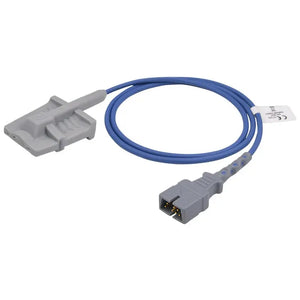
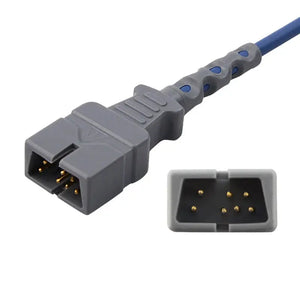
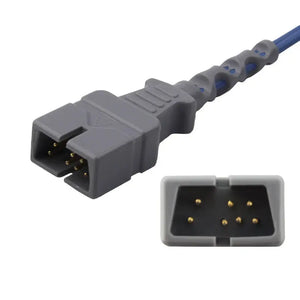
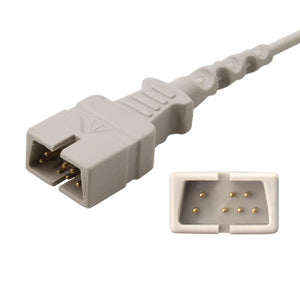
SpO2 errors are the most frequently reported accessory-related codes. Root causes cluster around four failure modes: cable fatigue, connector contamination, technology mismatch, and sensor ID line failure.
| Error Code / Message | Seen On | Most Likely Root Cause | Fix Steps | Severity |
|---|---|---|---|---|
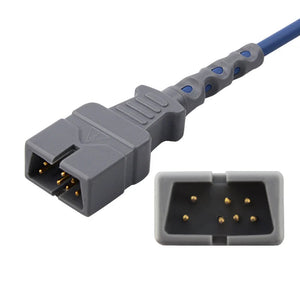
| Sensor Off / No Sensor | All brands | Cable break at connector; sensor not seated; sensor LED failure | 1. Re-seat connector. 2. Inspect cable at connector junction. 3. Swap sensor. 4. Clean module pins with IPA. | High |
| Incompatible Sensor | All brands | Technology mismatch (e.g., Nellcor on Masimo module); broken sensor ID line | 1. Verify module type matches sensor tech. 2. Check adapter cable. 3. Measure sensor ID resistance (see pinout reference). 4. Replace sensor if ID open. | High |
| Low Signal Quality | All brands | Poor perfusion site; ambient light; degraded LED output | 1. Reposition to well-perfused site. 2. Shield from light. 3. Swap sensor — LED degradation reduces signal strength. | Medium |
| Searching for Pulse | Philips, GE | Low perfusion; motion artifact; sensor tension incorrect | 1. Check perfusion. 2. Adjust tension. 3. Try alternate site. 4. Rule out patient cause first. | Medium |
| Sensor Expired | Masimo SET | Disposable sensor usage timer expired (firmware feature) | 1. Replace with new disposable sensor. This is firmware-enforced, not hardware fault. | Low |
For SpO2 pin-level testing, see our SpO2 connector pinout reference. For cable inspection methods, see cable inspection and testing methods.
Compatible SpO2 Replacements
Nellcor · Masimo · Philips · GE · Mindray · Direct-connect sensors · Adapter cables
3. ECG Error Codes & Fixes
ECG errors primarily manifest as lead-off alarms and signal quality degradation. Root causes are mechanical — worn contacts, damaged cables, and connector pin issues.
| Error Code / Message | Seen On | Most Likely Root Cause | Fix Steps | Severity |
|---|---|---|---|---|
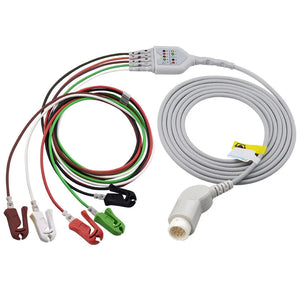
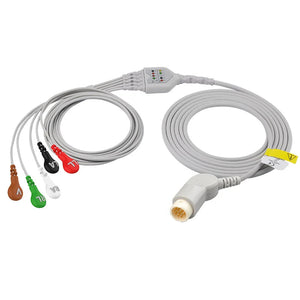
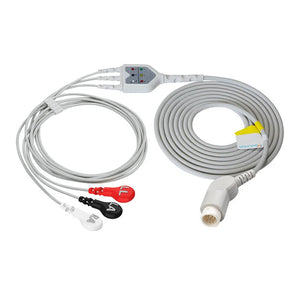
| Lead Off / Leads Off | All brands | Worn grabber/snap contacts; dried electrode gel; disconnected leadwire | 1. Check electrode adhesion. 2. Inspect leadwire contacts — replace if worn. 3. Inspect trunk cable connector for bent pins. 4. Swap trunk cable. | High |
| ECG Artifact / Noisy Signal | All brands | Cable shielding degradation; EMI; patient movement | 1. Replace old trunk cable. 2. Route cables away from power cords. 3. Check for 50/60 Hz pattern. See cable specs. | Medium |
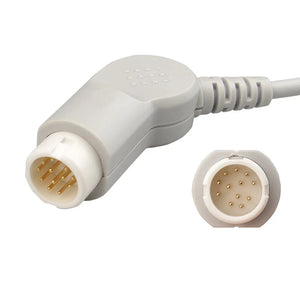
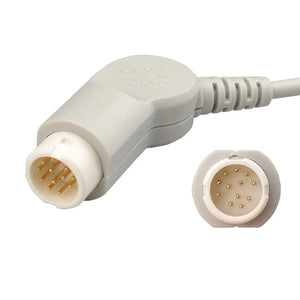
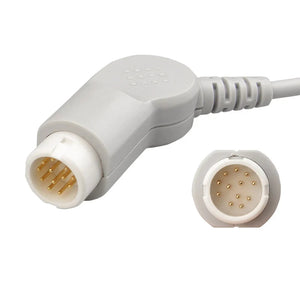
| No Module / Cable Not Detected | Philips IntelliVue | Trunk cable connector pin damage; module seating issue | 1. Re-seat trunk cable. 2. Inspect 12-pin connector for bent pins. 3. Swap trunk cable. 4. Re-seat module. | Medium |
| Wrong Cable Type | GE, Mindray | AAMI cable on IEC-configured monitor or vice versa | 1. Verify AAMI vs IEC matches monitor setting. 2. Replace cable with correct standard. | Low |
For visual connector identification, see ECG cable connector types guide. For brand-specific part numbers, see Philips & GE guide and Mindray resources.
Compatible ECG Replacements
All ECG cables · Direct-connect · Trunk cables · Telemetry · Disposable electrodes
4. NIBP Error Codes & Fixes
NIBP errors involve the pneumatic system. For detailed procedures, see our dedicated NIBP measurement errors troubleshooting guide.
| Error Code / Message | Seen On | Most Likely Root Cause | Fix Steps | Severity |
|---|---|---|---|---|
| Cuff Leak / Pneumatic Leak | All brands | Hose connector seal failure; cuff bladder puncture; loose connection | 1. Replace hose. 2. Test cuff separately. 3. Inspect connector seals. See NIBP connector specs. | High |
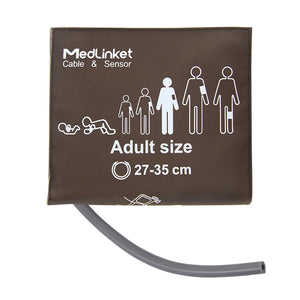
| Cuff Too Loose / Tight | All brands | Incorrect cuff size for limb circumference | 1. Measure limb. 2. Select correct cuff size. 3. Re-attempt. | Medium |
| Motion Artifact | All brands | Patient movement; cuff over clothing | 1. Bare skin. 2. Patient still. 3. Verify artery marker alignment. | Low |
| Measurement Timeout | All brands | Weak pulse; arrhythmia; cuff inflation time exceeded | 1. Check hemodynamics. 2. Try manual/stat mode. 3. Test with simulator. | Medium |
Compatible NIBP Replacements
Hoses · Reusable cuffs · Adult disposable · Neonatal disposable · Connectors
Most monitor error codes resolve through accessory replacement. MedLinket provides compatible accessories for all major monitor brands — ISO 13485 certified with FDA 510(k) clearances.
Browse All Compatible Accessories5. IBP Error Codes & Fixes
IBP errors involve the pressure transducer, cable, and zeroing system. For detailed procedures, see our dedicated IBP transducer troubleshooting guide.
| Error Code / Message | Seen On | Most Likely Root Cause | Fix Steps | Severity |
|---|---|---|---|---|
| Unable to Zero | All brands | Stopcock closed; cable damage; transducer membrane failure | 1. Open stopcock. 2. Retry zero. 3. Swap cable (see IBP pinout specs). 4. Replace transducer. | High |
| Damped Waveform | All brands | Air bubbles; blood clot; compliant tubing | 1. Flush and remove air. 2. Square wave test. 3. If persists with new transducer, suspect clinical cause. | Medium |
| Signal Drift | All brands | Temperature sensitivity; cable intermittent; module cal drift | 1. Let transducer equilibrate. 2. Re-zero. 3. Swap cable. 4. If persists, suspect module. | Medium |
Compatible IBP Replacements
IBP cables · Adapter cables · Disposable transducers · Pressure infusion bags
6. Temperature Error Codes & Fixes
Temperature errors are often silent — the most dangerous failure mode is a YSI series mismatch displaying a plausible but incorrect temperature. For detailed procedures, see our dedicated temperature probe error troubleshooting guide.
| Error Code / Message | Seen On | Most Likely Root Cause | Fix Steps | Severity |
|---|---|---|---|---|
| Temp Out of Range | All brands | YSI 400/700 mismatch; damaged thermistor; open circuit | 1. Verify YSI series (see YSI 400 vs 700). 2. Measure resistance at 25°C (400 ≈ 2,252Ω; 700 ≈ 1,000Ω). 3. Swap probe. | High |
| No Temp / Probe Disconnected | All brands | Adapter cable corrosion; probe wire break; adapter damage | 1. Clean contacts. 2. Swap adapter cable. 3. Swap probe. 4. Check module connector. | Medium |
| Inaccurate Reading (silent) | All brands | YSI series mismatch — plausible but incorrect temperature | 1. Compare against reference. 2. Verify YSI series. 3. Patient safety issue — see YSI 400 vs 700. | High |
Compatible Temperature Replacements
Reusable probes · Disposable probes · Adapter cables · Incubator probes
7. Cross-Brand Error Code Reference Table
Different brands use different terminology for the same fault. This table maps equivalent error messages across major brands.
| Fault Type | Philips IntelliVue | GE CARESCAPE | Mindray | Dräger Infinity | Nihon Kohden |
|---|---|---|---|---|---|
| SpO2 sensor disconnected | Sensor Off | Check Sensor | SpO2 Sensor Off | SpO2 No Sensor | Probe Off |
| SpO2 technology mismatch | Incompatible Sensor | Unsupported Sensor | Sensor Error | Wrong Sensor Type | Sensor Mismatch |
| ECG lead disconnected | Lead Off [x] | Leads Off | Lead Fault | Electrode Off | Lead Off |
| NIBP hose/cuff leak | Pneumatic Leak | Cuff Leak | Air Leak | Cuff Error | Leak Detected |
| IBP cannot zero | Zero Failed | Unable to Zero | Zero Error | IBP Zero Fail | Cannot Zero |
| Temperature out of range | Temp Out of Range | Temp --- | Temp Alarm | Temp Error | Temp Err |
For brand-specific details, see Philips & GE guide and Mindray resources. For cross-brand accessory lookup, use our compatibility matrix.
8. When to Escalate: Module vs Accessory Faults
If the swap test with known-good accessories does not resolve the error, the fault is likely at the module or system level. Escalation indicators:
- Error persists with multiple known-good accessories — Module input circuitry failure or firmware issue.
- Multiple parameters showing errors simultaneously — Power supply, main board, or software corruption.
- Error on this module but not on another monitor — Swap the parameter module to isolate module vs mainboard.
- Intermittent errors with no physical trigger — Software bug, memory corruption, or internal connector issue.
Document all troubleshooting steps in your CMMS per documentation requirements. When the accessory is confirmed as the failure point, assess OEM vs compatible — see our OEM vs compatible analysis.
9. Preventive Measures to Reduce Error Frequency
Proactive maintenance reduces accessory-related error codes significantly. Field data from hospitals with structured PM programs show 40–60% fewer accessory-related error calls compared to reactive-only departments.
PM impact estimates based on AAMI BI&T surveys of clinical engineering departments implementing risk-based PM programs, 2022–2023.
- Scheduled cable inspection — Include all SpO2, ECG, and IBP cables in PM rotation. Visual and electrical testing per cable inspection methods catches degradation before clinical errors.
- Connector contact cleaning — Quarterly cleaning of connector pins with IPA and lint-free wipes reduces contact resistance issues.
- NIBP hose replacement schedule — Replace on lifecycle basis (12–18 months for high-use ICU). See PM checklist.
- Temperature probe YSI labeling — Label all probes with YSI series to prevent silent mismatch errors. See YSI 400 vs 700 guide.
- Calibration verification — Scheduled checks catch drift before clinical errors. See calibration requirements.
- Staff training — Educate nursing staff on basic checks. See when to call biomed vs troubleshoot yourself.
Reduce error frequency with quality compatible accessories — ISO 13485 certified, FDA 510(k) cleared, designed to match OEM performance at 40–60% lower cost.
SpO2ECGNIBPIBPTempFrequently Asked Questions
What causes most patient monitor error codes?
AAMI BI&T field data suggests 60–75% of bedside monitor errors are accessory-related — cable fatigue, pneumatic leaks, probe mismatches, transducer faults — not hardware failures. The most common single cause is cable fatigue at connector junctions.
How do I tell if an error is caused by the accessory or the monitor?
Use the swap test: replace with a known-good accessory of the identical type and technology. Error clears → accessory fault. Persists → module/monitor fault. Always match technology — e.g., test Nellcor with Nellcor, not Masimo. See SpO2 pinout reference for tech identification.
Why does my monitor show "Sensor Off" when the SpO2 sensor is connected?
Typically: cable damage at connector junction, pin corrosion, technology mismatch, or broken sensor ID line. The ID circuit must read a valid calibration resistor before the module operates. Test with a substitute sensor. If persists, clean module pins. See pinout reference and cable inspection methods.
What does "NIBP Cuff Leak" mean?
The module detected pressure loss exceeding threshold during inflation. Start by replacing the hose — connector seal failure is most common. Then test the cuff. For detailed diagnosis, see NIBP errors guide. For connector specs by brand, see NIBP connector specs.
How do I fix persistent ECG "Lead Off" alarms?
Most commonly: worn electrode contacts, degraded adhesive, trunk cable pin damage, or shielding breakdown. Check leadwire contacts first. Then inspect trunk cable connector. See ECG connector guide and cable inspection methods.
Can compatible accessories cause different error codes than OEM?
Properly qualified compatible accessories should not generate errors when correctly matched. If one does, suspect pinout mismatch, technology mismatch, or a manufacturing defect. See evaluation framework and OEM vs compatible analysis.
Related BMET Resources
- Return to BMET Resource Hub
- NIBP measurement errors troubleshooting — Dedicated NIBP deep dive
- Temperature probe error troubleshooting — Dedicated temp deep dive
- IBP transducer troubleshooting — Dedicated IBP deep dive
- SpO2 connector pinout reference
- ECG cable connector types identification
- NIBP hose connector specifications
- IBP cable pinout and signal specifications
- YSI 400 vs 700 temperature probe comparison
- Medical cable specifications
- Medical cable inspection and testing methods
- Patient monitor accessory compatibility matrix
- Philips & GE monitor service guide
- Mindray monitor technical resources
- Patient monitor PM checklist
- Calibration requirements
- BMET documentation and compliance
- OEM vs compatible accessories
- How to evaluate third-party accessories
- Vendor qualification checklist
- BMET cost-saving strategies
Related Guides & Product Collections
- Patient monitor no reading troubleshooting
- Monitor display problems
- Patient monitor not turning on
- Hospital monitor alarms
- SpO2 sensor troubleshooting
- SpO2 low alarm
- When to call biomed
- Patient monitor accessories guide
- Accessory replacement schedule
- SpO2 sensors & cables
- ECG cables & leadwires
- NIBP cuffs & hoses
- IBP cables & transducers
- Temperature monitoring
- All compatible accessories