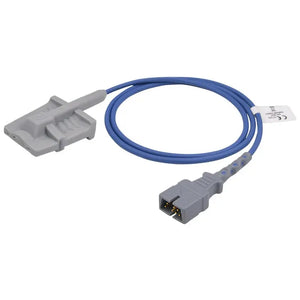
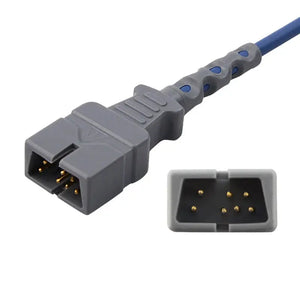
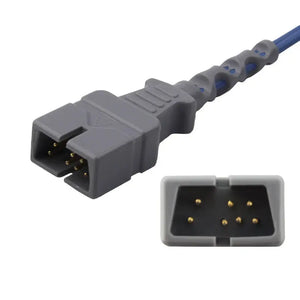
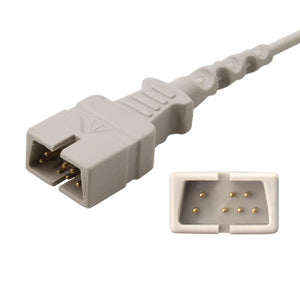
Quick Answer: A technical reference for BMETs managing Philips and GE patient monitor fleets — covering compatible accessory options for SpO2, ECG, NIBP, IBP, and temperature parameters, connector types and pinout differences, common service issues by monitor model, and replacement part cross-references for both brands. This is a brand-specific guide; for cross-brand compatibility checking, see the patient monitor accessory compatibility matrix.

This guide is specifically for Philips and GE patient monitor fleets. It covers brand-specific connector types, model-level compatibility details, and common service issues unique to these two brands. For Mindray-specific information, see our Mindray patient monitor technical resources. For multi-brand cross-referencing across all supported brands, use our compatibility matrix. For detailed electrical specifications of specific connector types, see our SpO2 connector pinout reference, ECG cable connector identification guide, and NIBP hose connector specifications.
1. Philips Patient Monitor Family Overview
Philips patient monitors are among the most widely deployed in acute care hospitals worldwide. Understanding the model families and their accessory architectures is essential for efficient BMET service.
PHILIPS IntelliVue Series
The IntelliVue platform covers bedside, transport, and telemetry monitoring. The key distinction is between models with integrated parameter modules (MX series) and those with external measurement modules (MP series using M3001A/M3002A Multi-Measurement Modules). Both share the same accessory connector families, but the module architecture affects how errors present during troubleshooting.
- MX400 / MX450 / MX500 / MX550 / MX600 / MX700 / MX800 — Current-generation bedside monitors. Integrated measurement server with modular parameter expansion. SpO2 uses 8-pin D-sub (FAST technology) or 12-pin for Masimo/Nellcor module options.
- MP20 / MP30 / MP40 / MP50 / MP60 / MP70 / MP80 / MP90 — Previous-generation IntelliVue. Uses M3001A (basic) or M3002A (extended) Multi-Measurement Modules. Same accessory connectors as MX series for most parameters.
- X3 / MX100 — Transport monitors. Compact form factor with integrated parameters. Uses the same SpO2, ECG, and temperature connectors as bedside units.
PHILIPS SureSigns & Efficia Series
Philips' mid-tier and value-segment monitors. The SureSigns VS/VM series and Efficia CM series use many of the same accessory connectors as IntelliVue, but some use Nellcor OxiMax SpO2 technology instead of Philips FAST. Always check the SpO2 technology before ordering sensors.
2. GE Healthcare Patient Monitor Family Overview
GE CARESCAPE Series
GE's current-generation CARESCAPE platform represents the primary installed base in many hospitals. Understanding model differences is critical for accessory ordering:
- CARESCAPE B450 / B650 / B850 — Modular bedside monitors. Support GE TruSignal SpO2 (proprietary), Masimo SET, and Nellcor OxiMax via interchangeable SpO2 modules. ECG uses the Marquette-style 11-pin connector.
- CARESCAPE ONE — Transport monitor platform. Integrated parameters with same connector families as B-series for most accessories.
GE DASH & Solar Series
The DASH series (DASH 3000, 4000, 5000) and Solar 8000/9500 are legacy platforms still widely found in hospitals. Accessories use the older GE Marquette connector families. ECG trunk cables use the same 11-pin connector as CARESCAPE, but SpO2 modules differ — many DASH units use Nellcor OxiMax or GE TruSignal with Ohmeda-style connectors.
GE Venue & Transport Pro Series
Lower-acuity and transport models. Verify connector types individually as some use simplified connector designs that differ from the CARESCAPE platform.
3. SpO2 Sensor Compatibility: Philips vs GE
SpO2 is the parameter where Philips and GE diverge most significantly. The two brands use different signal processing technologies, different connectors, and different sensor requirements.
| Feature | Philips | GE |
|---|---|---|
| Primary SpO2 Technology | Philips FAST (Fourier Artifact Suppression Technology) | GE TruSignal (proprietary) |
| Alternative SpO2 Modules | Nellcor OxiMax module, Masimo SET module (model-dependent) | Masimo SET module, Nellcor OxiMax module (model-dependent) |
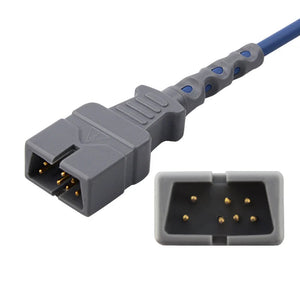
| Direct-Connect Connector | 8-pin D-sub (FAST), varies with OxiMax/SET modules | 11-pin Ohmeda-style (TruSignal), 9-pin (Nellcor module) |
| Adapter Cable | M1943A/M1943AL, M1940A | 2021406-001, TS-G3 |
| Reusable Sensors | M1191BL adult clip, M1196A neonatal | Adult finger clip, Pediatric clip |
| Disposable Sensors | Nellcor-compatible disposables via adapter cable | TS-AP-25 adult, TS-AF-25 neonate |
For pin-by-pin electrical specifications of SpO2 connectors across both brands, see our SpO2 connector pinout reference. If you are experiencing SpO2 reading errors after sensor replacement, refer to our patient monitor error codes troubleshooting guide.
4. ECG Cable & Leadwire Compatibility
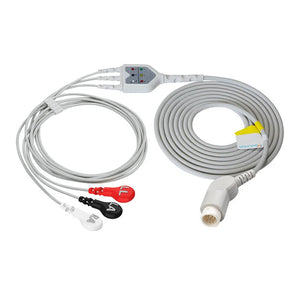
Both Philips and GE use trunk cable + leadwire architectures for bedside monitoring, with direct-connect cables available for some configurations. The connector at the monitor end is the critical identification point.
| ECG Component | Philips | GE |
|---|---|---|
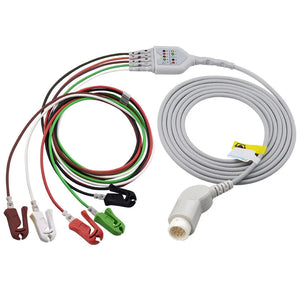
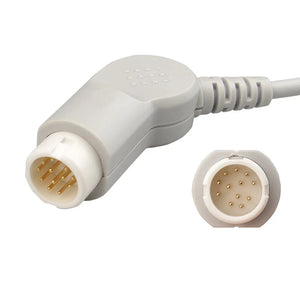
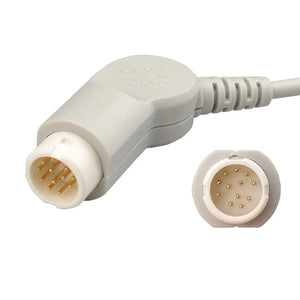
| Trunk Cable Connector | 12-pin round (IntelliVue) | 11-pin Marquette-style |
| 3-Lead Trunk Cable | M1669A | 2106306-001 |
| 5-Lead Trunk Cable | M1668A | 2017003-001 |
| 12-Lead Trunk Cable | M1500A | 2106308-001 |
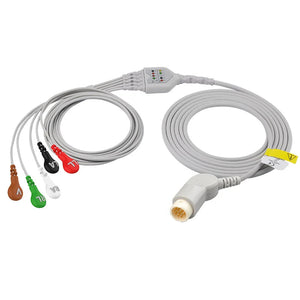
| 3-Lead Leadwire Set | M1603A grabber, M1605A snap | 2021141-001 grabber, 2001292-001 snap |
| 5-Lead Leadwire Set | M1671A grabber, M1673A snap | Grabber AHA, Snap AHA |
| Color Coding | AAMI (US) or IEC (intl) — both available | AAMI (US) or IEC (intl) — both available |
| Neonatal/Miniclip | M1624A miniclip | Standard leadwires with small-profile connectors |
For visual identification of ECG connector types including snap, grabber, and banana terminations, see our ECG cable connector types identification guide. For cable shielding and impedance specifications, refer to our medical cable specifications guide.
5. NIBP Cuff & Hose Compatibility
NIBP hose connectors are completely brand-specific and physically non-interchangeable between Philips and GE. Using the wrong hose triggers pneumatic leak errors immediately.
| NIBP Component | Philips | GE |
|---|---|---|
| Adult Hose Connector | Proprietary quick-connect bayonet | Critikon-style Dina-Click |
| Neonatal Hose Connector | Luer slip (female) | Luer slip (female) |
| Adult Hose | M1599B, M3918A | 2087389-002, 2058203-002 |
| Neonatal Hose | M1596B | 2017009-001, 107363 |
| Reusable Cuffs | M1573A adult, M1575A large, M1572A pediatric | Critikon adult, pediatric, infant |
| Disposable Cuffs | M4575B adult, M4577B large | Adult Dina-Click, Large Dina-Click |
| Connectors | 989803209771 | 2059294-001, 2055630-001 |
For complete NIBP connector dimension specifications across all brands, see our NIBP hose connector specifications guide. For troubleshooting NIBP measurement errors, refer to our NIBP measurement errors troubleshooting guide.
MedLinket manufactures compatible accessories for both Philips and GE monitor families — ISO 13485 certified, FDA 510(k) cleared, with full connector compatibility documentation.
Philips Compatible Accessories GE Compatible Accessories6. IBP Cable & Transducer Compatibility
IBP cables connect disposable pressure transducers to the monitor. Both Philips and GE use proprietary monitor-end connectors, while the transducer end uses industry-standard connector families (Abbott, Edwards, Utah, BD, B.Braun).
| IBP Component | Philips | GE |
|---|---|---|
| Abbott/Medex Cable | 42661-27 | 2021196-001 |
| Edwards Cable | 896083021 | 2021197-003 |
| Utah Cable | 650-206 | 700078-001 |
| BD/Ohmeda Cable | 684081 | 684102 |
| B.Braun Cable | M1634A | GE to B.Braun |
| Adapter Cable | 42661-14 | 2021197-001, 2005772-001 |
For IBP cable pinout diagrams and signal specifications, see our IBP cable pinout and signal specifications. For troubleshooting IBP waveform problems, see our IBP transducer troubleshooting guide.
7. Temperature Probe Compatibility
Both Philips and GE primarily use YSI-series temperature technology, but the adapter cable and connector between the probe and monitor differ by brand. The critical factor is whether the monitor expects a YSI 400 or YSI 700 series thermistor curve — these are electrically incompatible.
| Temperature Component | Philips | GE |
|---|---|---|
| Temperature Standard | YSI 400 series (most models) | YSI 400 series (most models) |
| Adult Skin Probe | 21078A | GE adult skin |
| Esophageal/Rectal Probe | 21075A | GE adult esoph/rectal |
| Adapter Cable | 21082A, 5020411A | 2016998-001, 2021701-001 |
| Disposable Probes | M1837A | 8001642, 8001646 |
For a detailed comparison of YSI 400 vs YSI 700 temperature probe families, see our YSI 400 vs 700 comparison. For troubleshooting temperature probe errors, refer to our temperature probe error troubleshooting guide.
8. Common Service Issues by Brand
These are the most frequently encountered accessory-related service issues for each brand. Most resolve through accessory replacement — proper documentation is essential for compliance record-keeping.
Philips Common Accessory Issues
- SpO2 "Sensor Off" intermittent errors — Cable fatigue at the 8-pin D-sub connector. Micro-fractures from repeated insertion cycles. Replace the sensor cable or use a short extension to reduce stress.
- ECG "Lead Off" false alarms — Worn grabber or snap contacts on leadwire sets. Replace leadwires; if trunk cable connector is worn, replace the trunk cable too. See cable inspection testing methods for systematic diagnosis.
- NIBP "Pneumatic Leak" errors — Deteriorated O-ring seals in M1599B/M3918A hose quick-connect fitting. Replace the hose. Persistent errors may indicate cuff or internal valve issues.
- Temperature "Out of Range" readings — YSI 400/700 series mismatch is the most common root cause. Installing a YSI 700 probe with a YSI 400 adapter produces inaccurate readings without triggering an error code.
- ECG trunk cable "No Module" error on MX series — Connector pin damage from lateral stress. Inspect the 12-pin round connector for bent or recessed pins.
GE Common Accessory Issues
- SpO2 "Check Sensor" on CARESCAPE — Sensor cable damage or incorrect sensor-to-module match. Verify the SpO2 module type (TruSignal vs Nellcor vs Masimo) before replacing the sensor.
- ECG noise/artifact on DASH series — Cable shielding degradation in older Marquette trunk cables. Replace the trunk cable. For persistent artifact, inspect leadwire-to-trunk connections for corrosion.
- NIBP "Cuff Leak" on CARESCAPE — Dina-Click connector seal wear. Unlike the Philips bayonet fitting, Dina-Click can develop a slow leak that only manifests during inflation. Replace the hose and test with a known-good cuff.
- IBP "Unable to Zero" on B650/B850 — Often caused by damaged IBP cable rather than a transducer issue. Test with a known-good cable first. Check continuity per our IBP cable pinout reference.
- Temperature display "---" (no reading) — Adapter cable connector corrosion at the 6.35mm plug. Clean contacts or replace the adapter cable. Verify YSI series match.
9. Replacement Part Cross-Reference Table
Quick cross-reference for the most commonly replaced accessories on Philips and GE monitors. All MedLinket compatible parts match the original connector, electrical specifications, and clinical performance.
| Accessory Type | Philips OEM P/N | Compatible | GE OEM P/N | Compatible |
|---|---|---|---|---|
| SpO2 Adult Clip | M1191BL | View | TS-SA4-GE | View |
| SpO2 Adapter Cable | M1943A | View | 2021406-001 | View |
| ECG 5-Lead Trunk | M1668A | View | 2017003-001 | View |
| ECG 3-Lead Leadwires | M1603A | View | 2021141-001 | View |
| NIBP Adult Hose | M1599B | View | 2087389-002 | View |
| NIBP Adult Cuff | M1574A | View | Critikon Dura-Cuff | View |
| Temp Adapter Cable | 21082A | View | 2016998-001 | View |
| IBP Cable (Edwards) | 896083021 | View | 2021197-003 | View |
10. Compatible Accessory Sourcing for Philips & GE
Using compatible accessories from qualified manufacturers can reduce accessory spending by 40–60% without compromising clinical performance — but only with proper evaluation and documentation. For a detailed cost-quality comparison, see our OEM vs compatible patient monitor accessories analysis.
When sourcing compatible accessories for Philips and GE monitors, verify these five criteria:
- Regulatory clearance — Verify the manufacturer holds FDA 510(k), CE marking, and ISO 13485 certification. See our third-party accessory evaluation framework for a structured process.
- Connector match — Confirm the connector pinout matches the original using brand-specific connector specifications or the MedLinket compatibility documentation.
- Electrical compatibility — For SpO2, verify the technology protocol (FAST, TruSignal, OxiMax, SET). For ECG, verify impedance and shielding. For IBP, verify excitation voltage and bridge resistance.
- Clinical accuracy validation — Request comparative test data showing the compatible accessory meets OEM accuracy specifications.
- Vendor qualification — Score the manufacturer against your facility's vendor qualification criteria. See our vendor qualification checklist for a scoring template.
For budget strategies and lifecycle cost analysis, see our BMET cost-saving strategies guide. Ensure all replacement decisions are documented per your documentation and compliance requirements.
MedLinket's compatible accessories for Philips and GE monitors are manufactured in ISO 13485 certified facilities with full regulatory documentation. Every product includes connector compatibility verification and clinical accuracy data.
Browse Philips Accessories Browse GE AccessoriesFrequently Asked Questions
Are Philips and GE patient monitor accessories interchangeable?
No. Philips and GE use proprietary connector designs and communication protocols for most accessory types. SpO2 sensors, ECG cables, NIBP hoses, and IBP cables are brand-specific and cannot be swapped between Philips and GE monitors without the correct adapter cable. Always verify the connector pinout and technology protocol before cross-brand use.
What SpO2 technology does Philips use versus GE?
Philips IntelliVue monitors primarily use Philips FAST (Fourier Artifact Suppression Technology) with 8-pin or 12-pin D-sub connectors. GE monitors use GE TruSignal (proprietary, 11-pin Ohmeda connector) and Masimo SET or Nellcor OxiMax via module-specific adapters. The technology determines which sensors are compatible — mixing them produces inaccurate readings or error codes. For electrical specs, see our SpO2 connector pinout reference.
Can I use compatible (non-OEM) accessories on Philips and GE monitors?
Yes, provided the compatible accessories match the connector pinout, electrical specifications, and communication protocol of the original. Compatible accessories from ISO 13485 certified manufacturers like MedLinket are designed to meet the same performance specifications as OEM parts at 40–60% lower cost. Always verify compatibility using the monitor model number and connector type. See our third-party accessory evaluation framework.
How do I identify which ECG cable connector my Philips or GE monitor uses?
Philips IntelliVue monitors use a 12-pin round connector for trunk cables. GE CARESCAPE and DASH monitors use an 11-pin Marquette-style connector. Both brands support AAMI and IEC color coding. Check the connector shape and pin count at the monitor end, then match against the model chart in this guide or refer to our ECG cable connector types identification guide.
What are the most common accessory-related service issues on Philips IntelliVue monitors?
The most frequent issues include: SpO2 "sensor off" errors from cable fatigue at the 8-pin connector, ECG lead-off alarms from worn grabber/snap contacts, NIBP "pneumatic leak" errors from deteriorated M1599B hose seals, and temperature "out of range" readings from YSI 400/700 series mismatch. Most resolve through accessory replacement. See our error codes troubleshooting guide for detailed diagnosis.
What NIBP connector types do Philips and GE monitors use?
Philips uses a proprietary quick-connect bayonet fitting for adult hoses and Luer slip for neonatal. GE uses the Critikon-style Dina-Click for adult hoses and Luer slip for neonatal. These are not cross-compatible — wrong hose triggers pneumatic leak errors. For full specifications, see our NIBP hose connector specifications.
Related BMET Resources
- Return to BMET Resource Hub — Complete technical library for patient monitor accessories
- Mindray patient monitor technical resources — Brand-specific guide for Mindray BeneVision, iPM, and iMEC
- Patient monitor accessory compatibility matrix — Cross-reference table for all brands
- SpO2 connector pinout reference — Wiring diagrams for Nellcor, Masimo, Philips FAST, GE TruSignal
- ECG cable connector types identification guide — Snap vs grabber vs banana visual guide
- NIBP hose connector specifications — Fitting types and dimensions by brand
- IBP cable pinout and signal specifications — Excitation voltage and bridge resistance
- YSI 400 vs 700 temperature probe comparison
- Medical cable specifications — Shielding, impedance, materials
- Patient monitor error codes troubleshooting
- NIBP measurement errors troubleshooting
- Temperature probe error troubleshooting
- IBP transducer troubleshooting
- OEM vs compatible patient monitor accessories
- How to evaluate third-party medical accessories
- Vendor qualification checklist
- BMET cost-saving strategies
- Patient monitor PM checklist
- Medical cable inspection and testing methods
- Calibration requirements
- BMET documentation and compliance
Related Guides & Product Collections
- Patient monitor accessories guide — Overview for clinical staff
- How to identify which cables your monitor needs
- Compatible Masimo SpO2 sensors for multi-brand monitors
- How to find NIBP hoses for Philips monitor series
- SpO2 sensor troubleshooting
- Philips compatible accessories — Full catalog
- GE Healthcare compatible accessories — Full catalog
- SpO2 sensors and adapter cables
- ECG cables and leadwires
- NIBP cuffs and hoses
- IBP cables and transducers
- Temperature monitoring accessories